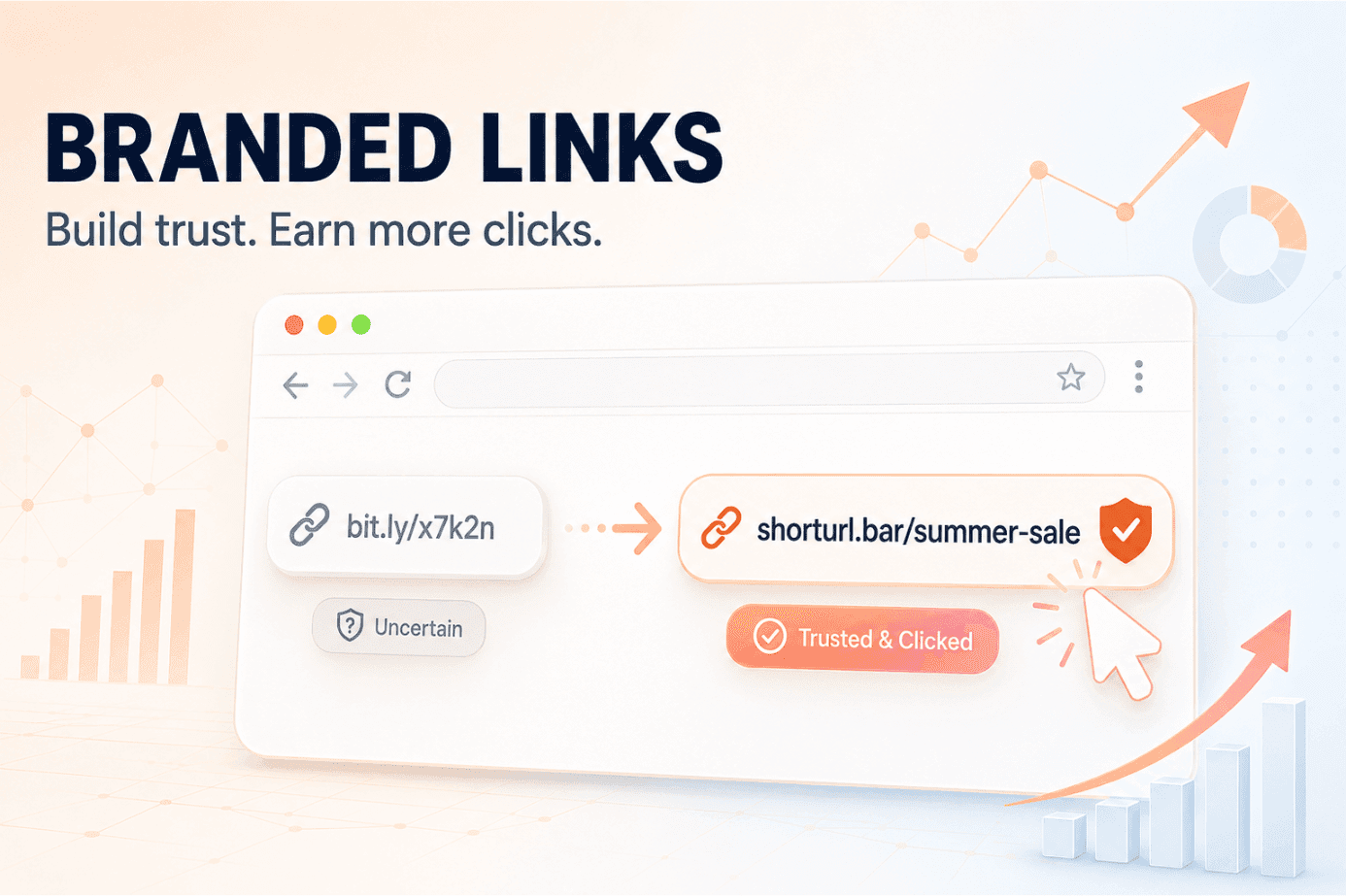
That hesitation has a name in marketing circles, and it's costing clicks you never see missing. A branded link replaces that random string with your own brand name, so instead of a stranger's domain, someone reads "shorturl.bar/summer-sale" and knows exactly who sent it before they even tap. Every generic short link you send is quietly leaking trust, and trust is what converts.
This guide walks through what branded links actually are, real before-and-after examples by business type, the click data behind why they outperform generic shorteners, and a free way to set one up in the next five minutes.
The Problem With Generic Short Links
You paste a long tracking URL into an email or a WhatsApp broadcast. It's ugly, so you run it through a free shortener. Now it's clean, but it also reads like "rb.gy/9f3k2" or "bit.ly/3xK9mL" - a string that could belong to anyone, including a scammer.
Recipients notice. Some hesitate. Some don't click at all. And because the link looks the same as thousands of other shortened URLs floating around inboxes and DMs, there's nothing in it that tells a stranger this came from a business they already trust.
What Is a Branded Link (And How Is It Different From a Regular Short Link)?
A branded link is a shortened URL built on a domain you control, so the link itself carries your brand name instead of a shared, anonymous one. Where a generic short link might read "bit.ly/x7k2n," a branded version of that same URL reads "shorturl.bar/summer-sale" or "yourbrand.link/launch." Same destination. Completely different first impression.
The Anatomy of a Branded Link: Domain, Slug, Destination
Every branded link has three moving parts. The domain is the part before the slash, and here it's a custom branded URL tied to your business instead of a shared public one. The slug is the memorable word or phrase after the slash, something like "/black-friday" instead of a random six-character code. And the destination is the actual page the link redirects to once someone clicks. Get the first two right and the third one doesn't matter how long or ugly it is, because nobody sees it.
Branded vs. Vanity vs. Custom - Clearing Up the Terminology
People use these three terms almost interchangeably, and honestly, the overlap is real. A vanity URL usually refers to a link built around a specific campaign phrase, like "brand.com/blackfriday." A custom link can mean any slug you've personally chosen rather than one auto-generated. A branded link is the umbrella term: any short URL running on a domain that carries your name. In practice, most marketers use the terms interchangeably and mean all three at once.
Why Branded Links Convert Better Than Generic Short Links
Branded links convert better because they solve a trust problem in the split second before someone decides to click. A recognizable domain removes the guesswork. A stranger's shortener doesn't.
The Click-Through Data Behind Branded Links
This isn't just a hunch. According to Rebrandly's own click-through rate benchmarking, branded links can lift click-through rates by up to 39% compared to generic shortened URLs, and separate estimates put the average lift closer to 34%. Our own product data at ShortURL backs this up. Across the campaigns run through our platform, they consistently out-click generic counterparts, and the gap tends to widen in channels where trust matters most.
Bitly's research on short-link tracking also flags something worth noting: with privacy changes like Apple's Link Tracking Protection stripping tracking parameters from raw URLs, first-party links like these are becoming one of the few reliable ways to keep attribution data clean. That's not a small thing if you report on campaign performance every week.
Where Branding a Link Matters Most: Email, WhatsApp, Paid Social Bios
Not every channel needs this equally. A branded link buried in a blog's footer barely registers. But drop an unbranded link into a cold WhatsApp message and watch open rates dip - people are far more cautious on a platform built for one-to-one conversation. Email works the same way, especially in subject lines and the first line of a newsletter. Paid social bios are the third big one, since that single link often has to represent an entire brand with zero context around it.
Real Branded Link Examples by Use Case
Seeing the difference side by side makes the case faster than any stat.
| Business Type | Generic Link | Branded Version | Why It Works |
|---|---|---|---|
| SaaS company | bit.ly/k23x9m | shorturl.bar/free-trial | Signals a real product, not a random redirect, right when a lead is deciding whether to sign up |
| Marketing agency | rb.gy/9f3k2 | shorturl.bar/client-report | Clients trust a link with the agency's name attached in shared reports and proposals |
| Ecommerce store | tinyurl.com/x7k2n | shorturl.bar/summer-sale | A recognizable slug reads like a real promotion instead of an ad network redirect |
| Event or webinar | bit.ly/3xK9mL | shorturl.bar/webinar-aug | Attendees remember and can even retype it manually if a link gets lost in a busy inbox |
If you're running paid campaigns specifically, our branded URL shortener built for marketers walks through domain setup in more depth than this guide has room for.
How to Create a Branded Link in ShortURL.bar
Setting up a branded link shortener doesn't need to be a technical project, and on ShortURL.bar there are actually two ways to do it depending on whether you want a quick one-off link or a fully branded domain.
Generate a Branded Short Link in Seconds (No Domain Needed)
Paste your destination URL into the launch box on the branded link generator.
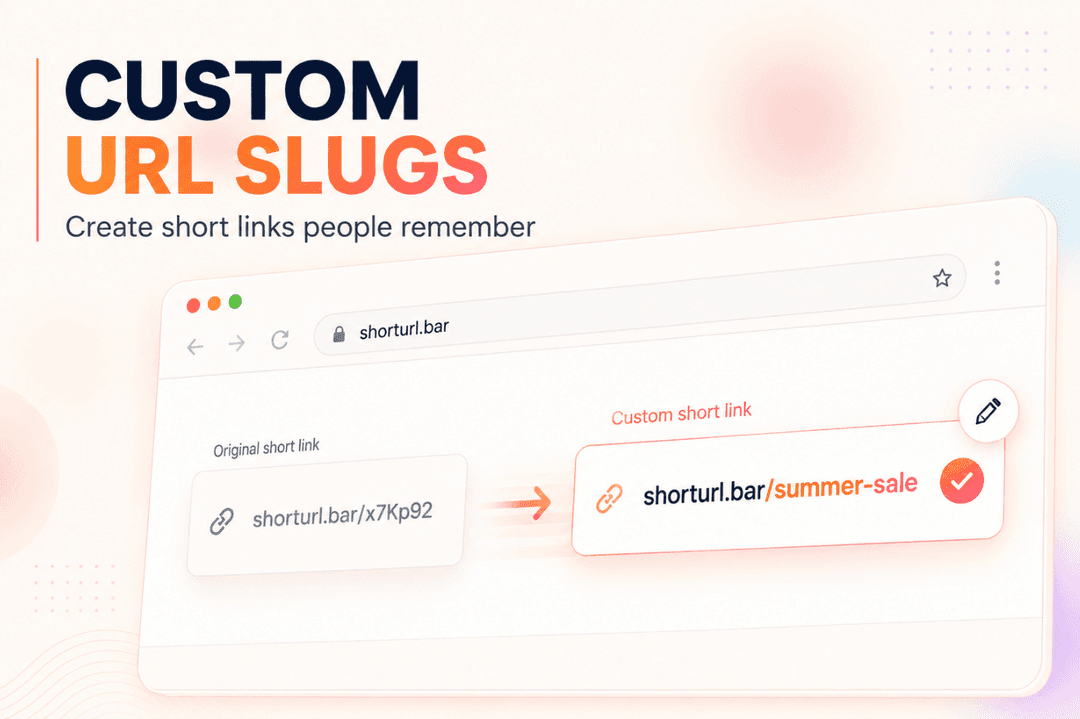
Add a custom back-half after "www.shorturl.bar/" instead of leaving it blank.
Click "Create branded short link." The result is a live short URL like "shorturl.bar/summer-newsale," ready to copy and share right away.
That's genuinely the whole flow. There's no account setup required to get a working link, and click tracking starts the moment someone opens it. One catch worth flagging: free links created this way expire after 5 days, so this path is better for a fast test or a short-lived promo than for anything you need live long-term.
Connect Your Own Domain for a Fully Branded Setup
For links that need to stay live and carry your own domain instead of shorturl.bar's, the setup is a three-step flow:
Add your domain. Enter the custom domain or subdomain you want your branded links to run on.
Verify your DNS records. Point them to ShortURL so redirects resolve quickly and securely.
Launch branded campaigns. Start sharing custom short links across email, WhatsApp, paid traffic, and social under your own name instead of ours.
Once the domain is verified, pick slugs that describe the destination in two or three words, something like "/spring-launch" instead of "/promo-final-v2." If you're tracking multiple channels for the same campaign, pair that link with UTM parameters so the click data stays organized in GA4 without extra manual tagging.
You don't need a paid plan to try the first path today. Start free on ShortURL and the quick version takes about the same time as pasting a URL into a generic shortener - the difference just shows up later, in the reporting.
Branded Link Best Practices (And Mistakes to Avoid)
A few habits separate branded links that actually perform from ones that just look nice.
Best practices:
Keep slugs under four words, because long slugs erase the exact readability advantage you're trying to buy.
Use one slug pattern per campaign type ("/sale-" prefix for promotions, "/webinar-" for events) so your reporting dashboard stays scannable months later.
Pair every link with UTM tags before you ever send it. Retrofitting tracking after a campaign has already launched means guessing at attribution.
Check the destination URL loads correctly before the link goes live in a broadcast. A dead redirect on a branded domain looks worse than one on a generic shortener, because it's got your name on it.
Common Setup Mistakes
Three mistakes come up constantly once a domain goes live.
DNS misconfiguration. People add the domain record and assume it's live immediately. It isn't, and hitting the link too early during propagation throws a confusing error. Give it the full window before troubleshooting.
Wrong redirect type. A 301 redirect passes link equity to the destination page. A 302 doesn't, and using the wrong one by default can quietly hurt a page's SEO over time if that link gets shared and linked elsewhere.
Letting free links expire mid-campaign. Free tier links on most shorteners, including the ones you generate without a domain on ShortURL, are designed for short-term use and expire after a few days. If a link needs to stay live for a multi-week campaign, it belongs on a permanent branded domain, not a throwaway free link.
Final Takeaway
Branded links aren't a cosmetic upgrade. They're a measurable trust signal, and that signal compounds every single time someone forwards, reshares, or screenshots your link into a new conversation you weren't part of. A generic shortener can't do that work for you. A domain with your name on it can.
Claim your branded domain free, no credit card required.
Start free on ShortURL and turn your next campaign link into one people actually recognize.