Monday's report shows 4,000 clicks on the launch link. Nobody in the room can say where they came from.
Was it the partner newsletter? The WhatsApp broadcast? A blogger who linked to your offer without telling anyone? The dashboard files about half of it under "direct," which explains nothing.
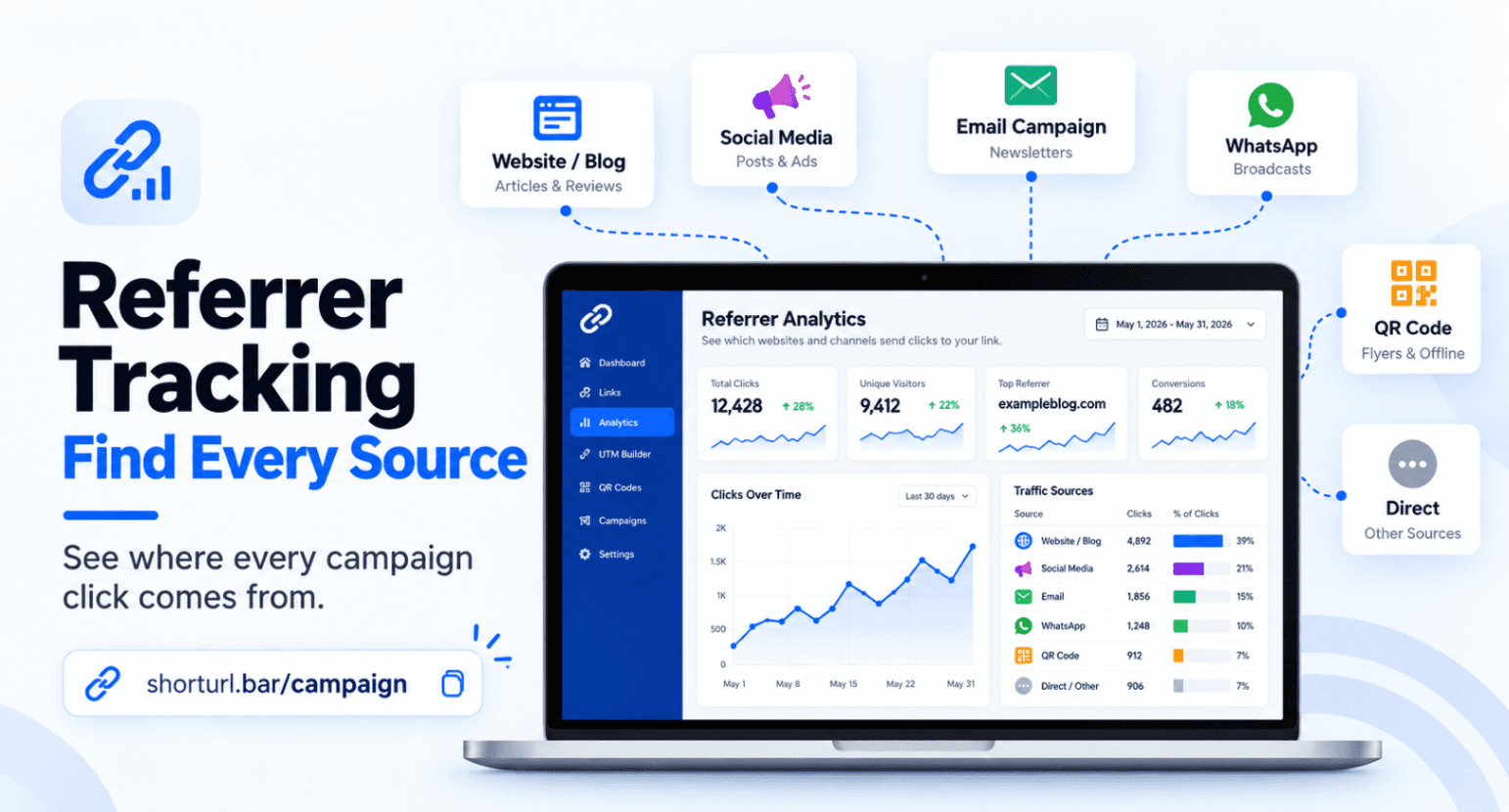
That gap is what referrer tracking is built to close. At ShortURL, we build trackable short links, QR codes and UTM tracking for marketers, agencies and publishers, and the platform sees 256M+ links launched every month. Referrer tracking means recording the page or app a browser says a visitor came from, then reading it next to the rest of your click data.
The short version: referrer tracking tells you which website or app sent a click. It can't tell you which campaign, message or placement unless you add UTM parameters, and some clicks arrive with no referrer at all. Used together, the two signals give you the most honest traffic-source picture a link can offer.
The Problem: Clicks Arrive, but the Source Stays Hidden
Traffic lands on your page. And without referrer tracking you still can't name the page, app, message or campaign that started the visit.
Ask three people on the team and you'll get three guesses. The usual symptoms look familiar. A huge "direct" bucket. A spike nobody can explain. A partner who swears they sent 500 clicks while your report shows 80. A QR code on a flyer that seems to do nothing.
None of this means your referrer tracking is broken. Browsers choose what to share, apps behave differently from websites, and a link pasted into a chat carries no history with it. The source of a click is a signal you have to collect and interpret on purpose. It rarely shows up on its own.
Referrer Tracking Explained: Browser Referrers vs UTM Parameters
Referrer tracking leans on two different signals, and they work differently. Mixing them up is where most of the confusion starts.
A referrer is the address of the page or app a visitor was on when they clicked, passed along by the browser in the Referer header. (Yes, the header is spelled with one "r." It's a long-standing quirk that MDN's documentation points out.) A UTM parameter is a label you add to the link yourself.
What the Browser Referrer Tells You
Referrer tracking starts with the browser, so you don't have to plan for it. Click a link on a blog post and the request can arrive saying, in effect, "this visitor came from that blog." That's valuable because it reveals sources you never tagged, like an unannounced mention or a forum thread.
But the browser decides how much to share. Per MDN, the default policy is strict-origin-when-cross-origin: the full URL goes out on same-origin requests, and only the origin goes out when the click crosses to another site. A site can also set its policy to no-referrer and send nothing at all.
Why a Referrer Often Shows Only a Domain
So in practice you'll often see example-blog.com, not the exact article. That tells you the website. It doesn't tell you which post, and that's thin evidence when you're judging a single placement.
What UTM Parameters Tell You
UTMs are the opposite. You write them, so they're deliberate: utm_source, utm_medium, utm_campaign and utm_content. They travel in the URL and survive most hops. But they only say what you typed. A typo, or a teammate who labels the same source differently, becomes the "truth" in your report.
Here's the cleanest way to hold it in your head. Referrers are observed. UTMs are declared. Good referrer tracking uses both.
How a Trackable Link Combines Both Signals
Someone clicks your short link. Their browser requests it from the ShortURL server, and that request is the moment the referrer, device and location can be recorded. Then the link redirects to your destination, with the UTM tags already attached. ShortURL's click tracking puts referrer tracking next to device and geography reports, and the UTM link shortener keeps the tags tidy.
There's a catch, and I'd rather you hear it now. What the destination site sees after a redirect can differ from what the short link saw. Google's guidance on (direct) / (none) traffic lists redirects and URL shorteners among the ways source information gets lost. That's why the UTMs on the final URL matter, and why you test them.
The workflow in one line: 1. Create one link per placement. 2. Add consistent UTMs. 3. Share the link. 4. Read the referrer and the UTM side by side. 5. Compare with your destination analytics. The result is a source label you can defend in a meeting.
Reading Link Referrer Analytics: Six Practical Examples
These are illustrative patterns, not performance data. Referrer tracking behaves differently by app, browser and version, so treat "usually" as a real qualifier here.
| Click source | What the referrer usually shows | What to rely on |
|---|---|---|
| Website or blog | The site's domain | Referrer, plus a UTM for paid or partner placements |
| Social platform | The platform or its link wrapper | UTM source and medium |
| Often nothing | UTM medium set to email | |
| Usually nothing | UTM and a dedicated link | |
| QR code | Usually nothing | A dedicated link with its own UTM |
| Copied link | Nothing if typed or pasted into the address bar | UTM, if it survives |
Clicks From Websites and Blogs
This is where referrer tracking shines. A visit from partner-site.com with no tag from you is a free discovery. Maybe a publisher quoted your page. Maybe a partner added your link without asking.
But a bare domain won't tell you whether the click came from the article body or the footer. For anything you're paying for, add UTMs anyway.
Clicks From Social Platforms
Social platforms often send a wrapper domain, such as t.co for X, so one platform can show up under several names. And in-app browsers don't always behave like Chrome or Safari.
That's why a UTM utm_source=instagram beats guessing from the referrer. For a deeper Facebook example, see our guide to the FB link shortener.
Clicks From Email
Email is the classic blind spot for referrer tracking. Many email clients send no referrer, and webmail varies. So "direct" in your report often hides a newsletter.
Tag email links with utm_medium=email and use a separate link per send. Our page on short links for email campaigns covers the setup.
Clicks From WhatsApp and Messaging Apps
A tap inside a chat usually arrives with no referrer. The visit looks like someone typed your URL, even though a broadcast sent it. Here's a hypothetical: a D2C brand sends one untagged link to a partner newsletter and a WhatsApp group. The report shows 90 visits from partner-newsletter.com and 600 "direct." The 90 is real signal. The 600 isn't a channel.
Give each message its own link, as shown in our guide to WhatsApp marketing links.
Clicks From QR Codes
A scan opens the link straight from the camera, so there's usually no referring page. A printed flyer and a shop-window poster look identical unless each has its own link. ShortURL's QR codes feed scans into the same device, location and referrer analytics as your short links, and our guide to QR code tracking walks through measuring placements.
Clicks From Copied Links
Someone copies your link from a page and pastes it into a chat, a document or the address bar. The original referrer is gone. Per Google, visits from offline documents like PDFs and typed URLs land in (direct) / (none). If your UTMs survived the copy, you still have a label. If they didn't, you have a shrug.
Best Practices: How to Track Link Sources Without Guesswork
Most advice on referrer tracking stops at "add UTMs." Honestly, that's half the job. Here's what holds up once a campaign has more than a handful of placements.
Combine Referrer Data With Consistent UTMs
Do this because referrer tracking and UTMs cover each other's gaps. UTMs label clicks the browser stays silent about. Referrers expose sources you never tagged. Use lowercase, dashes instead of spaces, and one agreed value per channel. Our campaign link tracking guide has a naming pattern you can copy.
Create Separate Links by Placement
One link per placement, always. A newsletter header, a newsletter footer and a partner post are three placements. Why? Because a shared link can only ever give you a total. ShortURL's campaign link tracker groups placement-level links under one campaign so you aren't stitching a spreadsheet together by hand.
Compare With Destination Analytics
Clicks aren't sessions. Link-level referrer data and your analytics platform will rarely match exactly, and that's fine. What you want is the same ranking of placements in both. Google's default channel group rules also explain why labels matter: GA4 sorts sessions by source and medium, and anything that matches no rule lands in "Unassigned."
Common Mistakes That Blur Your Traffic Source Data
Expecting Every Click to Include a Referrer
It won't. Apps, email clients, QR scans and strict site policies all send nothing. Expecting full referrer tracking coverage makes a normal gap look like a bug. Plan for a share of unknown clicks, and tag links so that share shrinks.
Treating Direct as One Channel
Direct isn't a channel. It's a pile of everything that arrived without a label. Google's definition covers saved links and typed URLs, and its guidance adds missing UTMs, offline documents and ad blockers to the list. Break it apart by tagging.
Using One Link Everywhere
This is the most common mistake, and the one that makes the rest of this post necessary. One link in email, social and a partner post gives you a total and nothing else. Building three links takes a few minutes.
Mixing Source Labels
"facebook," "Facebook," "fb" and "fb-ads" can show up as separate rows in a report. And a label GA4 doesn't recognize can end up as Unassigned. Pick one value per source, write it down, and share it.
Conclusion
A referrer tells you where the browser says a click came from. A UTM tells you what you decided to call it. Neither is complete alone. Referrer tracking and UTMs together cover most of what a campaign team needs to know.
So stop expecting perfect referrer tracking. Aim for fewer unknowns, labels you trust and links that map to real placements. That's a traffic-source picture you can actually act on.
Build a ShortURL Tracking Link and Inspect Its Referrer Data
Create one tracked link for your next placement, add your UTMs, share it, and open the analytics to check the referrer data for that link. Start free with ShortURL, no credit card needed. Running several channels at once? Try the campaign link tracker or talk to our team about branded domains and team workspaces.