How to Install the Chrome Extension
Installing the ShortURL.bar Chrome Extension only takes a few steps.
Step 1: Open the Chrome Web Store
Visit the official Chrome Web Store page for the ShortURL.bar extension.

Step 2: Click "Add to Chrome"
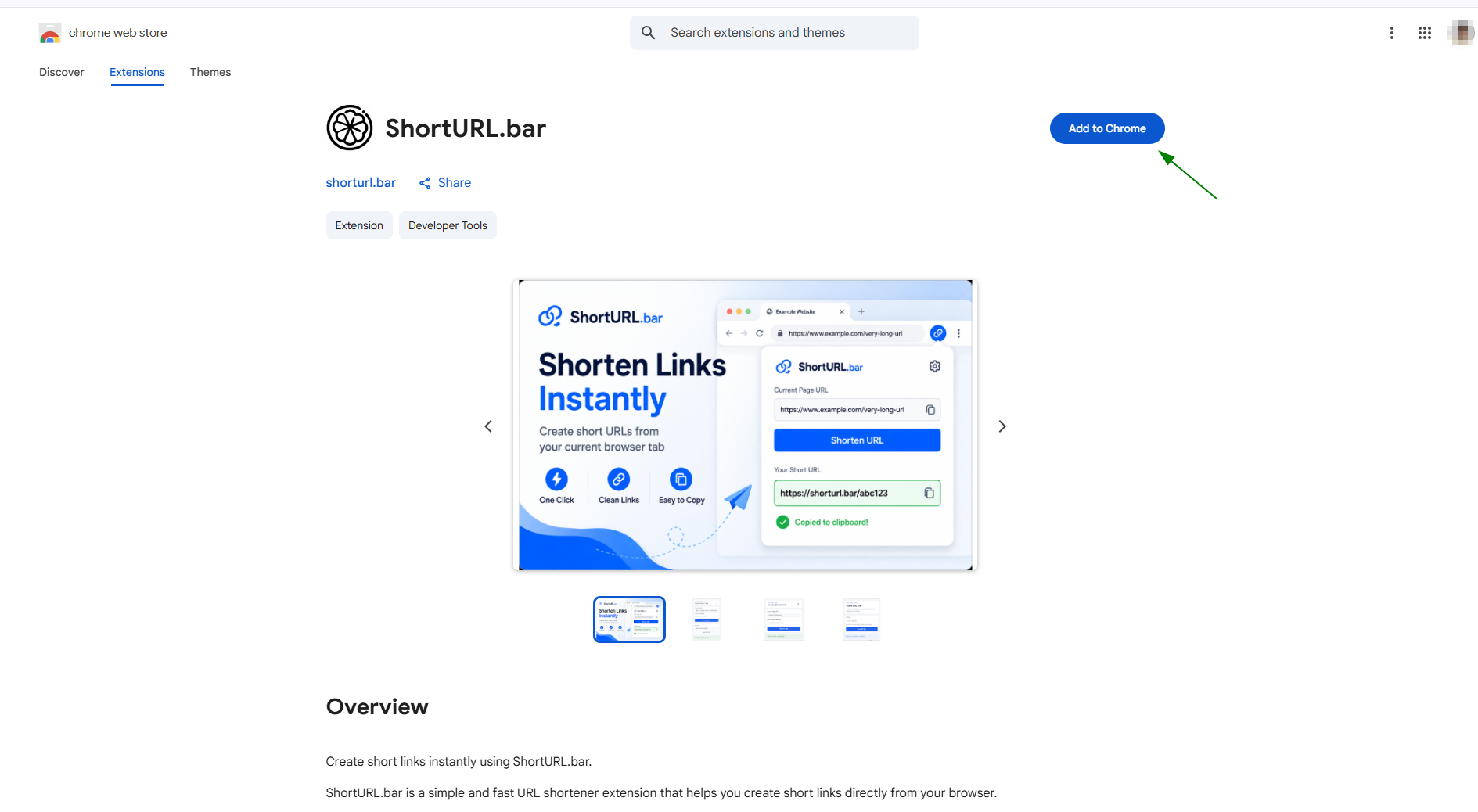
Click the Add to Chrome button on the extension page.
Step 3: Confirm Installation
Step 4: Pin the Extension
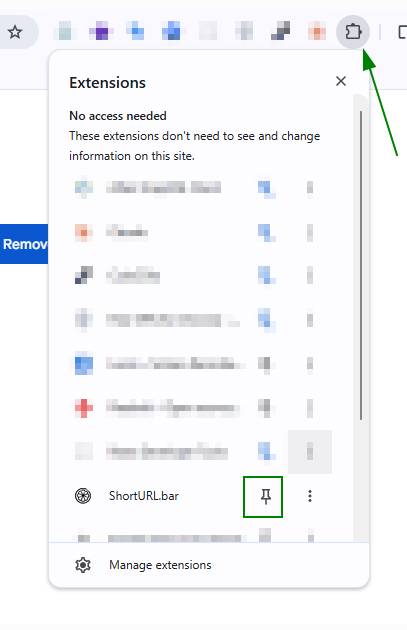
After installation, click the Chrome Extensions icon and pin the ShortURL.bar extension for quick access from your browser toolbar.
Step 5: Open the Extension
Click the ShortURL.bar extension icon from the Chrome toolbar.
When opening it for the first time, the extension will ask for your API key.
What the Chrome Extension Does
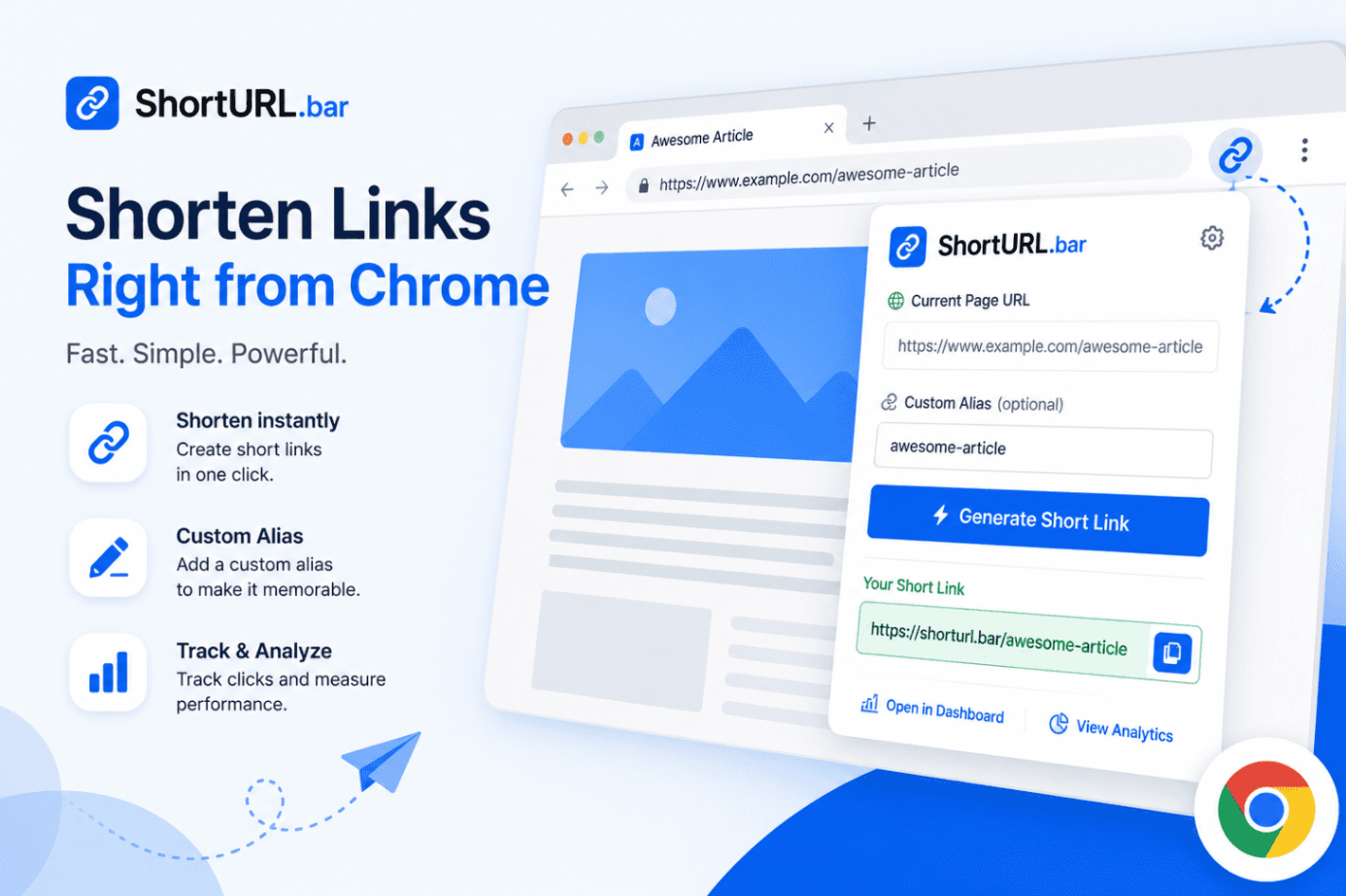
The ShortURL.bar Chrome Extension makes URL shortening faster. When you open the extension popup, the current browser tab URL is automatically treated as the full link.
You can then generate a short link instantly, add a custom alias if needed and copy the generated short URL for sharing.
Step 1: Get Your API Key
When you open the extension for the first time, it will ask for your API key.
You can get your API key from your ShortURL.bar account.
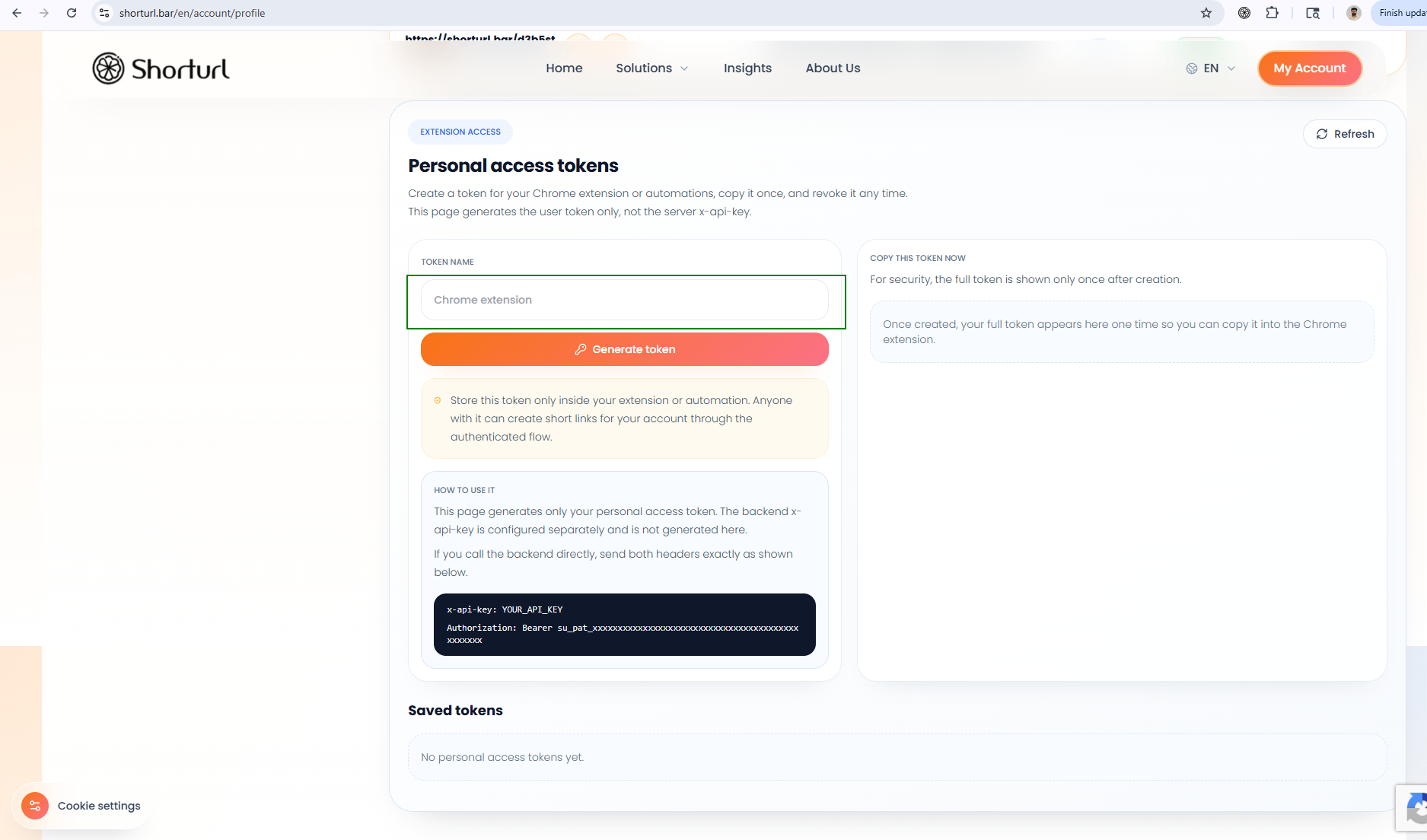
- Log in to your ShortURL.bar account
- Go to the My Account section
- Find your API key
- Copy the API key

Step 2: Save API Key in the Extension
After copying the API key, open the ShortURL.bar Chrome Extension popup.

- Paste your API key into the API key field
- Click the Save button
- Your extension is now connected with your ShortURL.bar account
You only need to do this setup once. After saving the API key, the extension will be ready to generate short links.
Step 3: Generate a Short Link
To generate a short URL, open the webpage that you want to shorten.
- Open the page in Chrome
- Click the ShortURL.bar extension icon
- The current open link will be treated as the full link
- Click Generate Short Link
The extension will create a short URL for the current page.
Step 4: Add an Alias
The extension also gives you an option to add an alias.
An alias is a custom ending for your short URL. It helps make the link more readable and campaign-friendly.
https://shorturl.bar/summer-sale
For example, instead of using a random short link, you can use a meaningful alias like:
- summer-sale
- product-demo
- whatsapp-offer
- newsletter-link
Step 5: Copy the Generated Short URL
Once the short link is generated, click the copy option to copy it.
You can now share the short URL anywhere:
- Email campaigns
- WhatsApp messages
- Social media posts
- SMS campaigns
- QR codes
- Paid ads
Best Use Cases
Quick Link Sharing
Shorten the current browser tab without opening the ShortURL.bar website manually.
Marketing Campaigns
Create short links with readable aliases for emails, WhatsApp campaigns and social media posts.
Content Sharing
Quickly shorten blog posts, product pages, landing pages or resources while browsing.
Team Productivity
Save time by generating short URLs directly from the browser toolbar.
Frequently Asked Questions
Where can I find my API key?
You can find your API key inside the My Account section of your ShortURL.bar account.
Do I need to enter the API key every time?
No. You only need to enter and save the API key once.
Does the extension detect the current page URL automatically?
Yes. When you open the extension popup, the current open link is treated as the full link.
Can I add a custom alias?
Yes. The extension provides an option to add an alias before generating the short link.
What should I do after the short link is generated?
Copy the generated short URL and share it wherever you need.
Generate Short URLs Faster
Use the ShortURL.bar Chrome Extension to create short links directly from your browser.
Install Chrome Extension