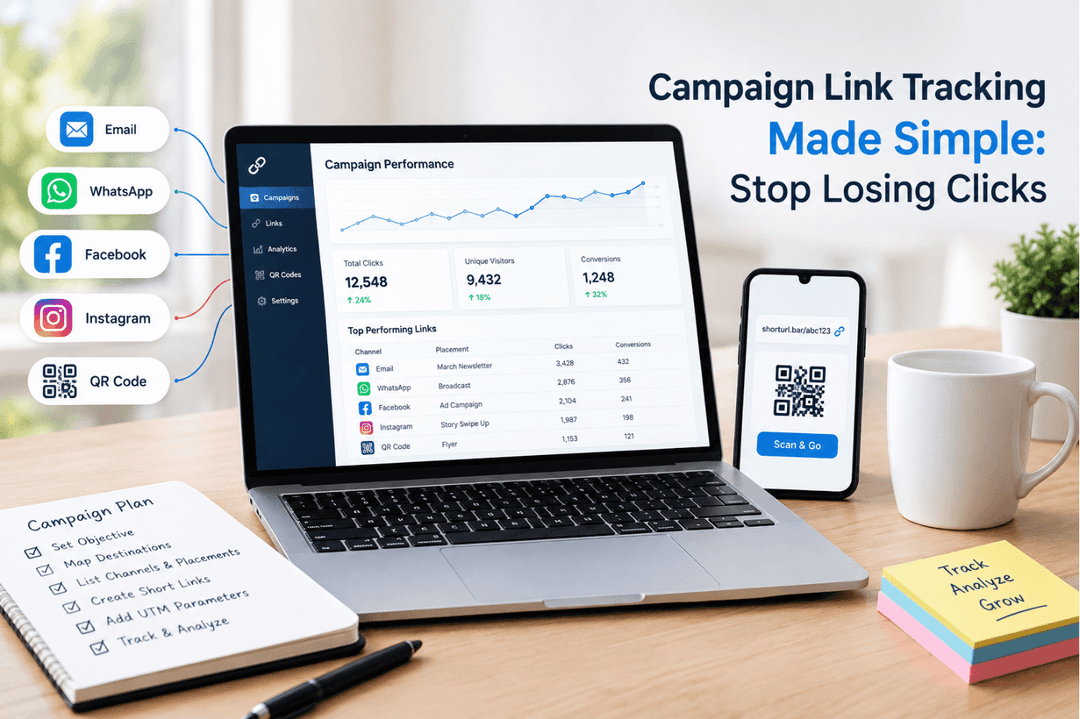
A campaign goes live. The link gets shared in an email, a WhatsApp broadcast, maybe a paid ad. And then... nothing. No idea how many people clicked, where they came from, or whether the campaign actually worked. That's the gap that makes marketers nervous, and it's exactly why learning to track clicks on a short link matters more than people think.
If you've ever shortened a URL and just hoped for the best, this guide fixes that. By the end, you'll know exactly how to track clicks on a short link from setup to reporting.
What Data Can You Track with a Short Link?
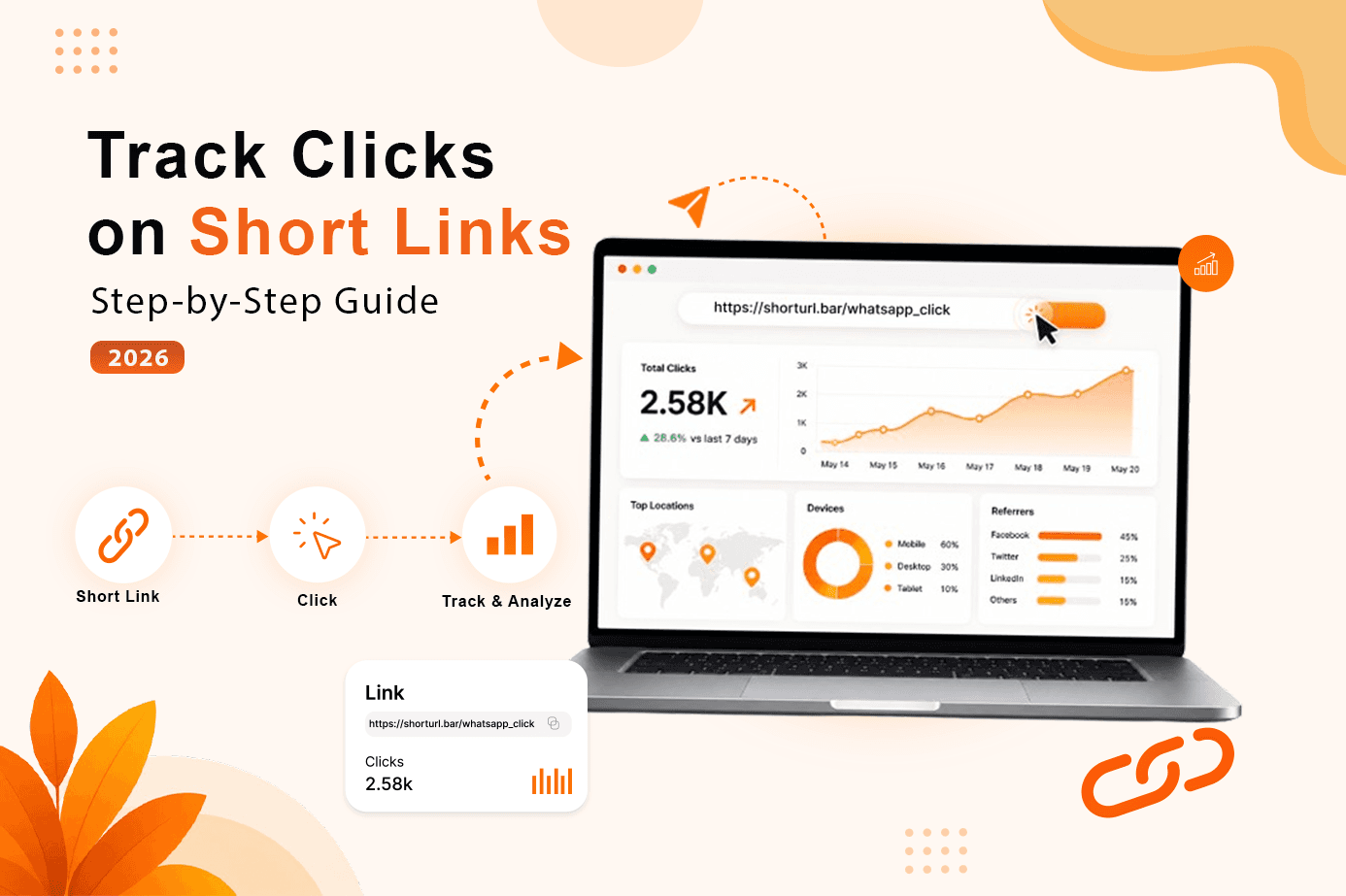
Track clicks on a short link and you're not just getting a number that goes up. A decent analytics dashboard gives you a full picture of what happened after someone tapped your URL. This is the core data set you get whenever you track clicks on a short link with a tool like ShortURL.bar.
Here's what's typically available:
- Total clicks - every time the link was opened, including repeat visits
- Unique clicks - the number of distinct people who clicked, counted once each
- Device type - mobile, desktop, or tablet
- Operating system - iOS, Android, Windows, macOS
- Geographic location - country, and often city-level data
- Referrer source - where the click came from (email client, WhatsApp, Instagram, direct)
- Time and date - exactly when each click happened
- Browser - Chrome, Safari, Firefox, and so on
Quick definition, because this trips people up constantly: unique clicks vs total clicks are not the same metric. Total clicks count every single tap, even if one person clicks five times. Unique clicks count that person once. If your total is way higher than your unique count, you've either got a very engaged audience or a bot problem. Usually it's the second one.
How to Set Up Click Tracking on ShortURL.bar (Step-by-Step)
This part is genuinely simple, which is sort of the point. Here's exactly how to track clicks on a short link in under a minute.
- Go to ShortURL.bar and paste your destination URL into the shortener box.
- Click "Shorten your URL" - this generates the link instantly.
- Create a free account (or log in) so the link and its analytics are saved permanently instead of expiring.
- Optionally add UTM parameters to the destination URL before shortening, if you want the data to flow into Google Analytics too - this is the extra step that lets you track clicks on a short link in two places at once.
- Copy the short link and share it across your campaign - email, WhatsApp, ads, wherever.
- Open your dashboard any time to see clicks update in real time.
The result is a single link doing double duty: it's shorter and cleaner for your audience, and it's quietly logging every interaction for you in the background.
One thing worth knowing - ShortURL.bar uses server-side tracking rather than tracking pixels. That matters because pixel-based tracking gets blocked by a growing share of browsers and ad blockers, which means the numbers you're seeing are quietly undercounting reality. Server-side tracking happens at the redirect level, so it's not affected by client-side blockers the same way.
Understanding Your Click Analytics Dashboard (Where You Track Clicks on a Short Link)
Once a link starts getting traffic, the dashboard becomes the place you'll actually live during a campaign.
Picture it like this: at the top, a running total click count and unique visitor count side by side. Below that, a line graph showing clicks over time, so you can see exactly when a spike happened - useful for matching it against when you actually sent the email or posted the link. Underneath the graph, three breakdown panels: device type, geographic location, and referrer source, usually shown as simple bar charts or percentage splits.
Here's an example of what that data might look like for a single campaign link over one week - this is essentially what you'd see the first time you track clicks on a short link of your own:
| Metric | Value |
|---|---|
| Total Clicks | 4,210 |
| Unique Clicks | 3,640 |
| Top Device | Mobile (71%) |
| Top Location | India |
| Top Referrer |
That table alone tells a story without a single sentence of explanation. Mobile-heavy, WhatsApp-driven, mostly India-based audience. Decisions about creative, send time, and even language can follow directly from that.
Device Tracking: Desktop vs. Mobile Click Patterns
Device data isn't a vanity metric. It changes what you build next. This is one of the most useful breakdowns you get when you track clicks on a short link.
If 70% of clicks come from mobile, your landing page better load fast and look right on a small screen - not just "responsive" in theory, but actually tested on a real phone. I've reviewed campaigns where the desktop version looked sharp and the mobile version had a form field cut off the edge of the screen. Nobody noticed until the click data showed a huge mobile traffic share paired with a weirdly low conversion rate on that segment.
And here's where it gets interesting - device patterns often shift by channel. WhatsApp and SMS links skew almost entirely mobile. Email links are more mixed, often 50-60% mobile depending on your audience. Desktop still shows up more on B2B campaigns sent during work hours, when people are at their laptops. Knowing this before launch, not after, saves you from designing for the wrong screen.
Geographic Click Data: Knowing Where Your Audience Is
Where your clicks come from often says more than the click count itself. When you track clicks on a short link, geography is usually the breakdown that surfaces the most surprises.
A campaign aimed at a US audience that's pulling 30% of its clicks from outside the US is either reaching an unintended audience or getting hit by bot traffic - and those require completely different responses. Geographic click data on a short link breaks this down by country, sometimes city, so you're not flying blind.
This also matters for timing. If your audience clusters in three time zones, sending one blast at 9 AM your time means two of those segments are getting it at 2 AM or 6 PM their time. Geographic data lets you split sends or at least pick a smarter middle-ground time.
Ready to Simplify Your Links?
Create branded short URLs, track every click, generate QR codes, and share smarter with ShortURL.bar.
Get Started Free →How to Use Click Tracking Data to Improve Your Next Campaign
Data sitting in a dashboard does nothing on its own. The value of learning to track clicks on a short link shows up when you act on the numbers, not just collect them.
Honestly? Most marketers check the dashboard once, nod, and move on. That's a missed opportunity. Here's a more useful approach: 1. Pull the device, location, and referrer breakdown after each campaign. 2. Compare it against your previous campaign's numbers. 3. Pick one variable to test next time - subject line, send time, CTA placement, or channel mix. The result is a campaign that's measurably better than the last one, not just a different one.
Say your last WhatsApp broadcast got a 52% click-through rate but your email send only hit 2.1%. According to Mailchimp's email marketing benchmark data, average email click-through rates across industries typically sit between 1.5% and 3%, so that email number isn't actually bad - it's normal. The WhatsApp number being so much higher isn't unusual either; WhatsApp broadcast click-through rates are commonly reported in the 40-60% range because the channel has higher open rates and feels more personal than inbox email. Comparing the two side by side without that context would lead you to wrongly "fix" a channel that isn't broken.
Combining Short Link Analytics with Google Analytics (UTM Guide)
Short link click data is useful by itself. But pair it with UTM parameters and it gets a lot more powerful, because now the same click also shows up inside Google Analytics, attributed to the exact campaign, source, and medium you tagged it with. This is the most reliable way to track clicks on a short link across two systems at once without the numbers contradicting each other.
Here's the process: 1. Build your destination URL with UTM tags - utm_source, utm_medium, and utm_campaign at minimum. 2. Paste that full tagged URL into ShortURL.bar's shortener. 3. Share the resulting short link across your channel. 4. Clicks now show up both on your ShortURL.bar dashboard and inside Google Analytics under Acquisition reports. The result is two views of the same data - one fast and visual, one deep and connected to conversions and revenue.
We covered the full setup process in our guide to UTM link shortening, which walks through tag naming conventions that keep your reports from turning into a mess of inconsistent labels six months in.
According to Google Search Central's guidance on tracking parameters, properly tagged URLs don't create duplicate content issues for SEO as long as redirects are handled correctly - which is one more reason a 301-based shortener is the safer choice over one that uses temporary redirectss.
FAQ
Q: What does click tracking on a short link show you?
A: It shows total clicks, unique visitors, device types (mobile/desktop), geographic location, referrer source, and the exact time of each click. If you're learning how to track clicks on a short link for the first time, this is the full data set you should expect to see.
Q: Is click tracking available on the free ShortURL.bar plan?
A: Yes. Basic click analytics, including total clicks and device data, are available on the free plan. Paid plans add deeper breakdowns like custom branded domains and team-level reporting.
Q: How accurate is short link click tracking?
A: ShortURL.bar uses server-side tracking, which logs clicks at the redirect level. This is more accurate than pixel-based methods and isn't affected by browser ad blockers, which commonly strip out tracking pixels before they load.
Q: Can I use short link tracking with Google Analytics?
A: Yes. Add UTM parameters to your destination URL before shortening it, and clicks will appear in Google Analytics under your tagged campaign, source, and medium - alongside your short link's own dashboard data.
Go Deeper
If you're building out a full link tracking strategy, these guides go further into specific pieces of how to track clicks on a short link at scale:
- We covered channel-specific tracking in our guide to WhatsApp link shortening.
- For the basics of how shortening works at all, see our breakdown of what a URL shortener is and how it works.
- Branded links tend to get more clicks than generic ones - here's our guide to vanity URLs.
- For teams running multiple campaigns at once, the campaign link tracker gives a higher-level view across all your active links.
Start tracking your links free with ShortURL.bar.
No credit card required, and once you track clicks on a short link for the first time, the data starts logging the moment your link goes live.
Start Tracking Free