That's what the ShortURL.bar Chrome Extension does. And once you've used it for a week, you won't go back.
How to Install the ShortURL.bar Chrome Extension
Installation takes about 90 seconds. Here's the exact process:
Step 1 Open the Chrome Web Store
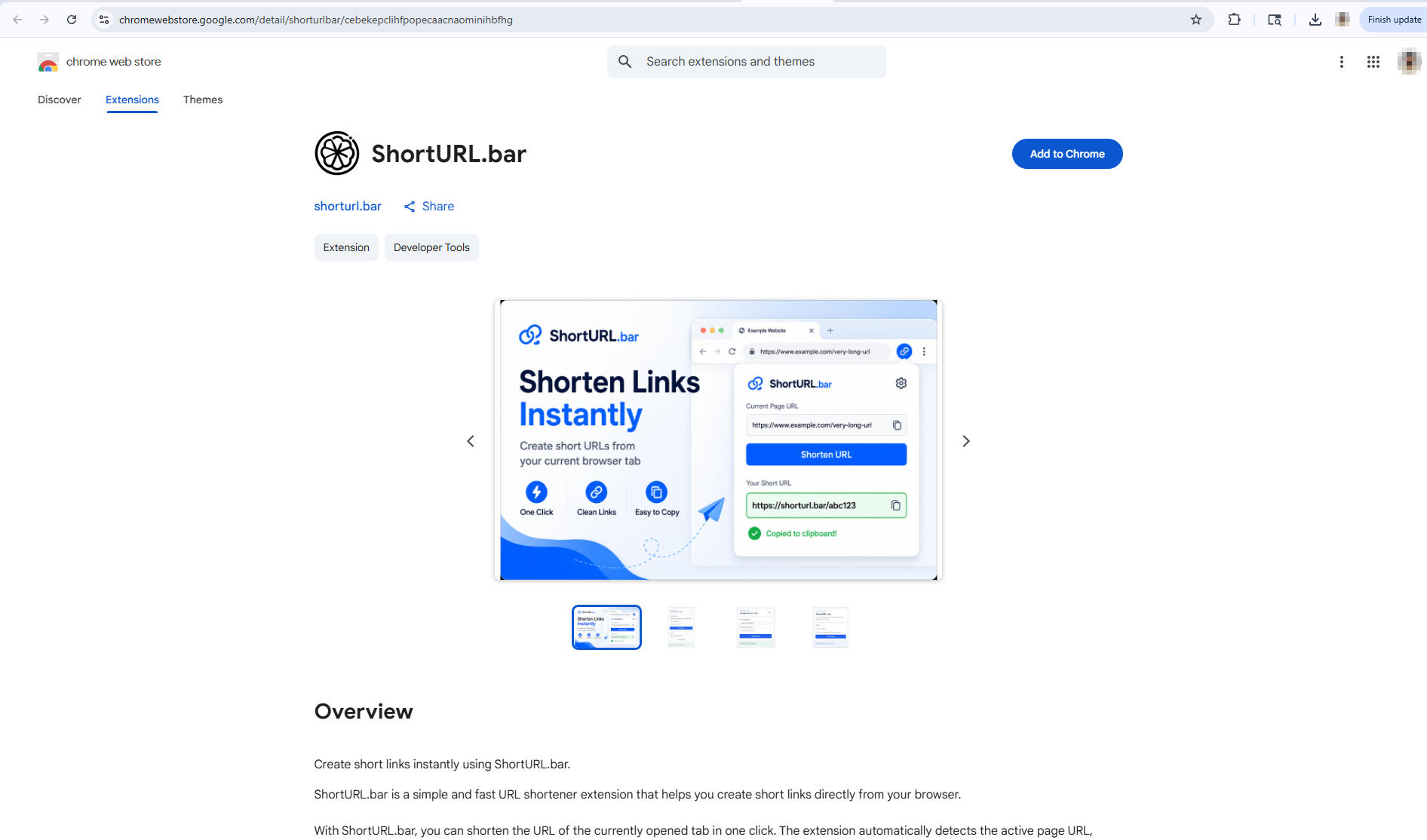
Go to chromewebstore.google.com and search for "ShortURL" or "ShortURL.bar". You can also navigate directly from the ShortURL.bar homepage there's a download prompt in the navigation area.
Step 2 Click "Add to Chrome"
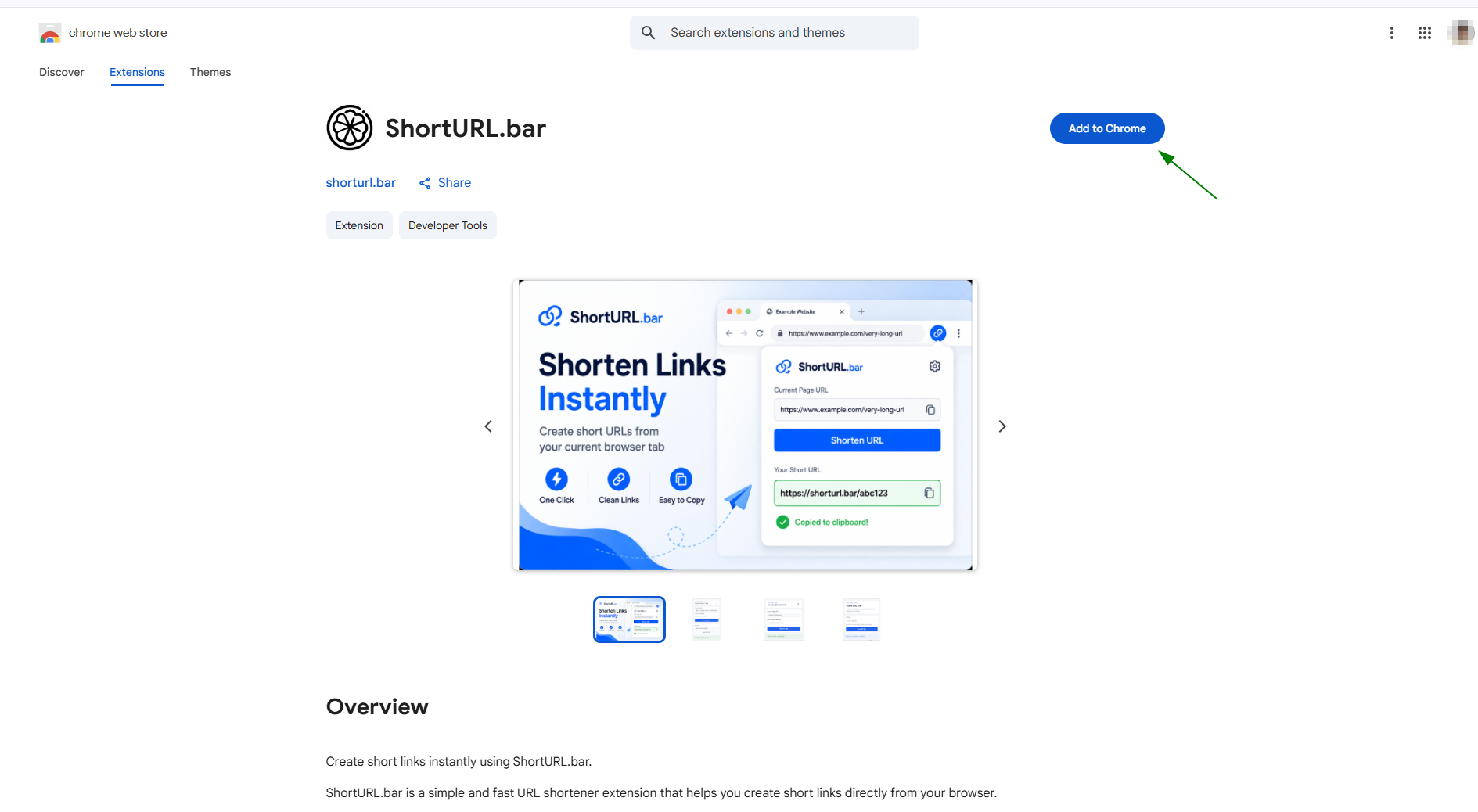
Once you find the ShortURL.bar extension listing, click the blue "Add to Chrome" button. A permission dialog will appear. Review the permissions and click "Add Extension" to confirm.
Step 3 Pin the Extension to Your Toolbar
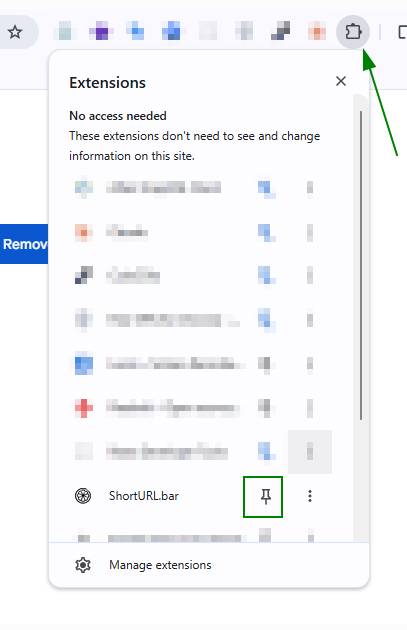
This step matters. If you skip it, the extension will be buried in the puzzle-piece extensions menu and you'll forget it exists.
After installation, click the puzzle piece icon to the right of your Chrome address bar. Find ShortURL.bar in the list and click the pin icon next to it. The ShortURL.bar icon will now appear permanently in your toolbar.
Step 4 Sign In or Register (Optional for Free Use)
You can start shortening links immediately without an account. But if you want branded links, click analytics, and campaign tracking, you'll need to register for a free ShortURL.bar account. Free links on an unregistered session expire after 5 days.
Once pinned, the extension is installed. But before it can generate short links connected to your account, you need to do a one-time API key setup.
What the Chrome Extension Does
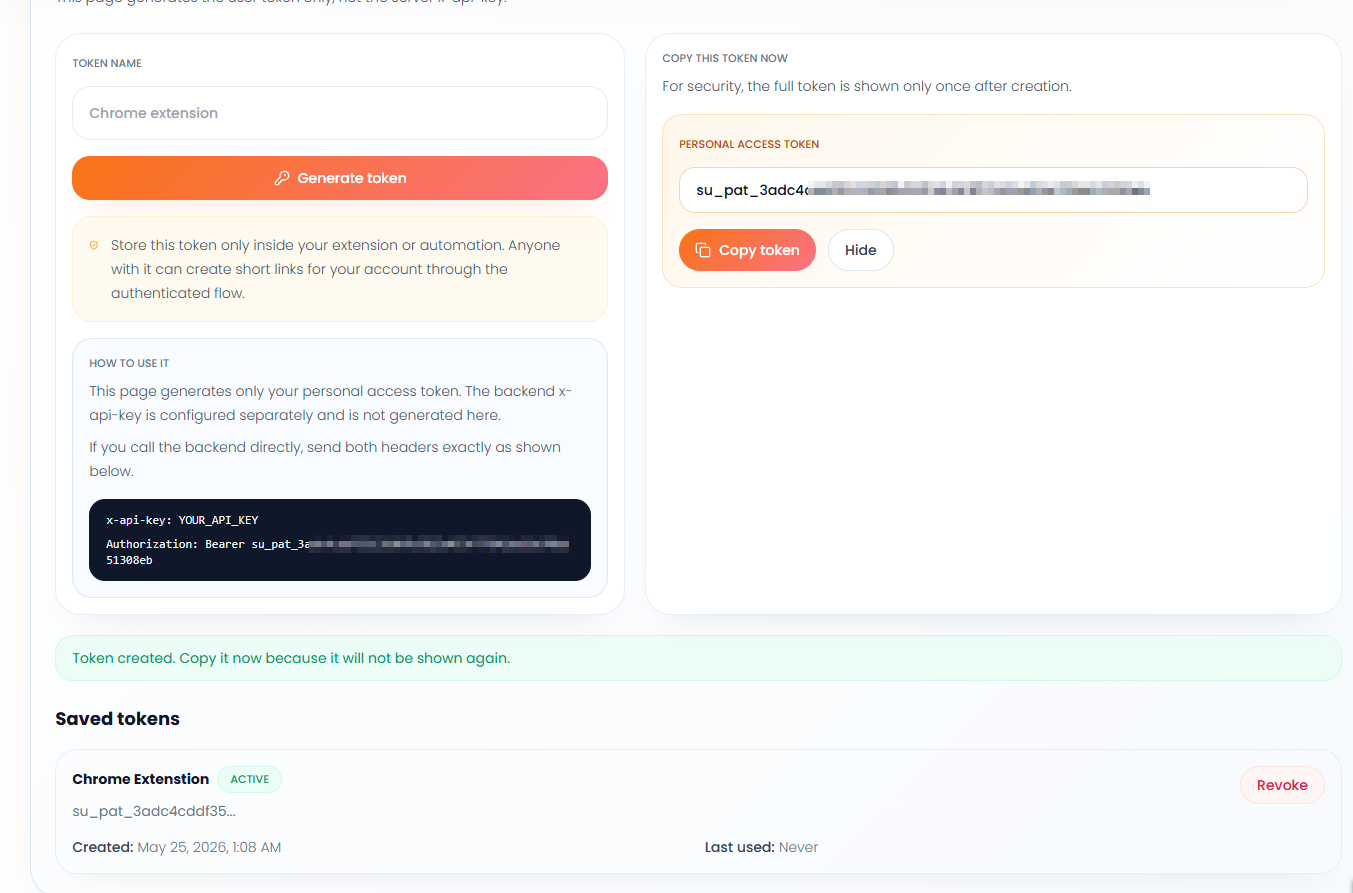
Step 1: Get Your API Key
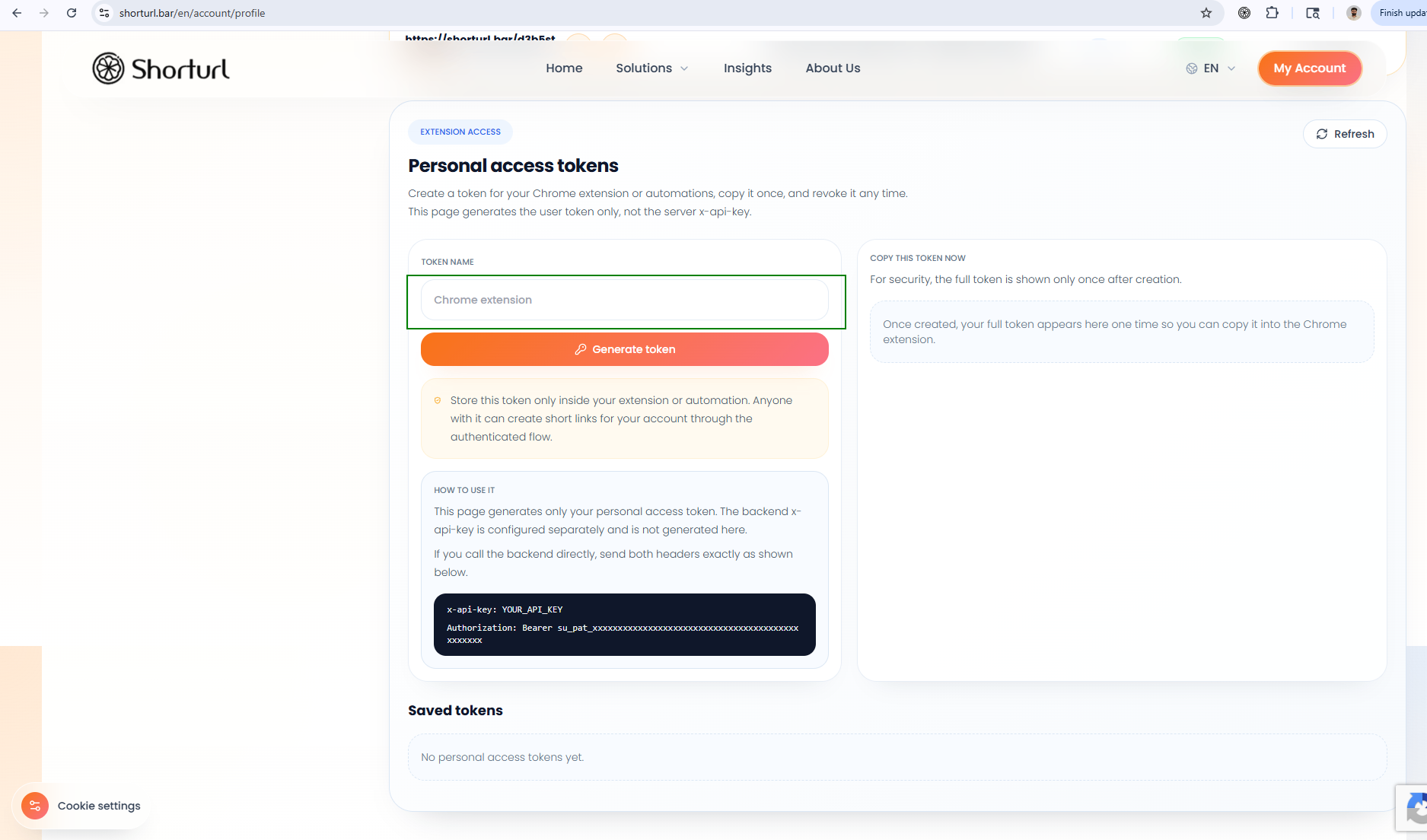
The first time you open the ShortURL.bar Chrome Extension popup, it will ask for your API key. This is how the extension connects to your ShortURL.bar account so your short links are tracked, saved, and accessible from your dashboard.
Here's where to find it:
- Log in to your ShortURL.bar account at shorturl.bar/login
- Go to the My Account section
- Find your API key listed there
- Copy it
That's it. One string of characters that links your browser extension to everything in your account your links, your analytics, your aliases.
Step 2: Save Your API Key in the Extension
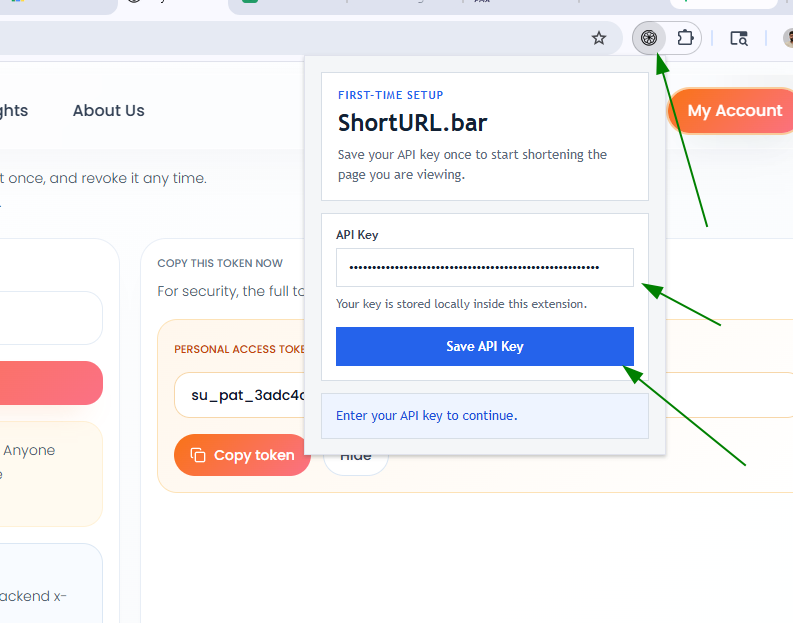
Once you've copied your API key from your account, the next step takes about ten seconds.
- Click the ShortURL.bar icon in your Chrome toolbar to open the extension popup
- Paste your API key into the API key field
- Click the Save button
Your extension is now connected to your ShortURL.bar account.
You only need to do this once. After saving, the extension stays connected every short link you generate from this point forward will be tied to your account, tracked in your dashboard, and saved for future reference.
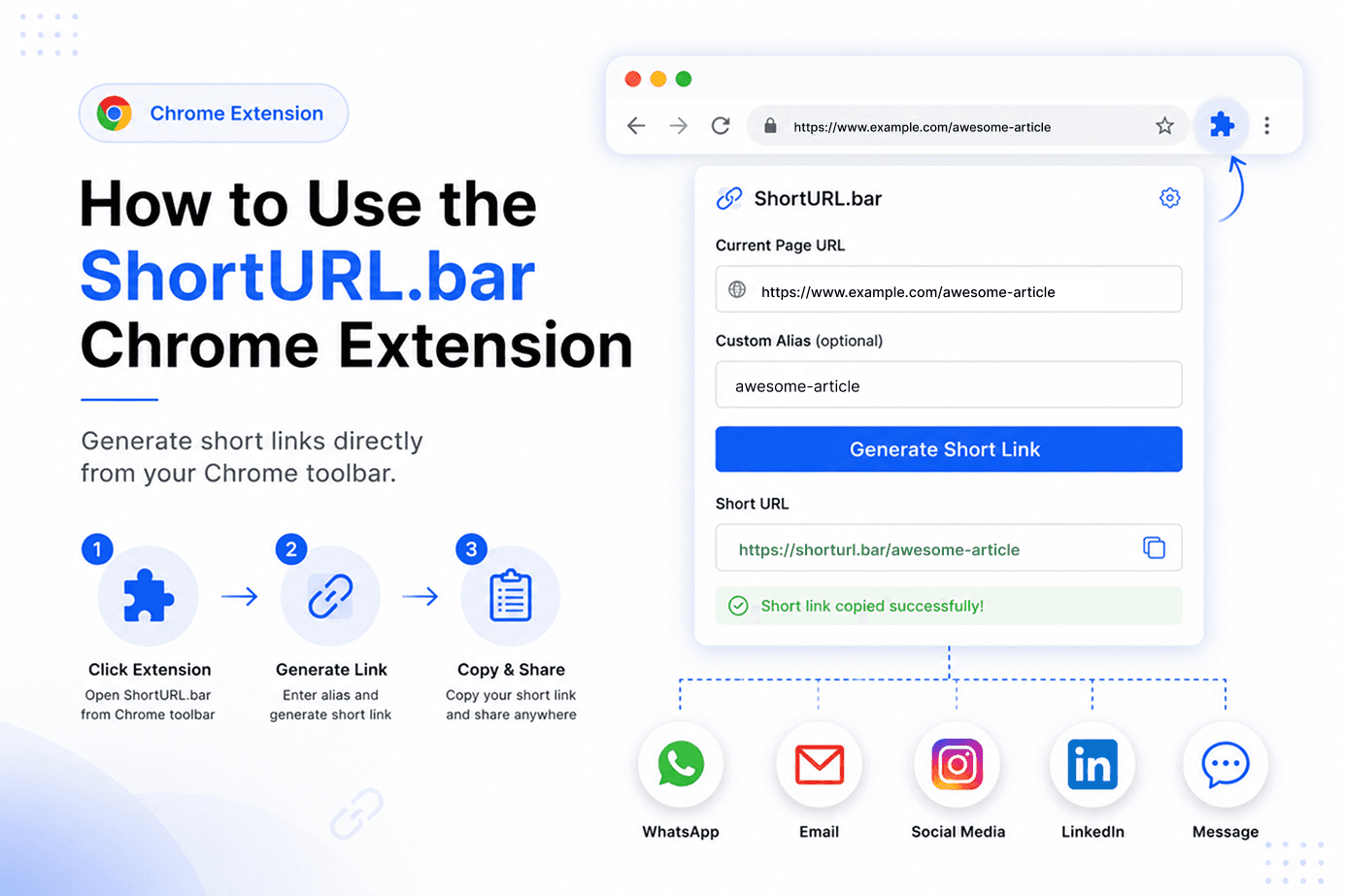
Step 3: Generate a Short Link
With the API key saved, you're ready to start shortening. The actual process is as fast as it looks.
- Open any webpage in Chrome a product page, a blog post, a landing page, anything
- Click the ShortURL.bar extension icon in your toolbar
- The extension popup opens with the current page URL already loaded as the full link
- Click Generate Short Link
The extension creates a short URL for the current page instantly. No copying, no pasting, no navigating away from what you were doing.
Step 4: Add a Custom Alias
This is the feature that turns a short link into a proper campaign asset.
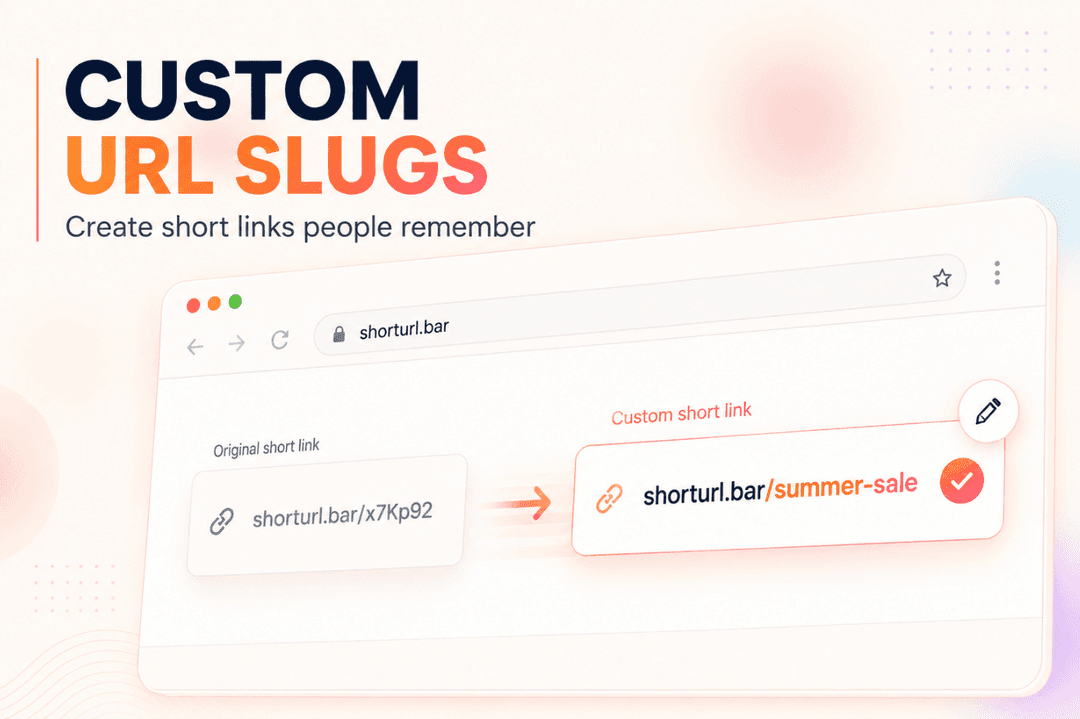
An alias is a custom ending for your short URL a readable, memorable slug that replaces the random characters a standard shortener would assign. Instead of shorturl.bar/k23x9m, you get something like shorturl.bar/summer-sale.
The extension gives you an alias field right in the popup, so you can set it before generating the link. Some aliases that work well in practice:
- summer-sale: for a seasonal promotion
- product-demo: for a demo page you're sending to leads
- whatsapp-offer: for a campaign-specific WhatsApp link
- newsletter-link: for the version of a link going out in an email
Why does this matter? Because readable aliases are easier to trust before the click, easier to remember if someone sees it in a screenshot, and easier to identify in your analytics when you're reviewing which campaign drove traffic. A branded link tells you something at a glance. A random slug doesn't tell you anything.
Step 5: Copy and Share the Short URL
Once the short link is generated with or without a custom alias click the copy option in the popup to copy it to your clipboard.
From there, you can drop it into:
- Email campaigns and newsletters
- WhatsApp messages and broadcasts
- Social media posts and bios
- SMS campaigns
- QR codes
- Paid ad copy and landing page CTAs
- Internal team documents and Slack messages
The link is clean, readable, and because it's tied to your ShortURL.bar account being tracked from the moment someone clicks it.
Best Use Cases
Quick Link Sharing
The most obvious one. You're on a page, you need a short link, you click the icon. No opening the ShortURL.bar website. No copying and pasting the raw URL somewhere else first. The current tab becomes a short link in seconds.
Marketing Campaigns
This is where the alias feature really pays off. Before sending a campaign email, WhatsApp, social, SMS create a short link with a campaign-specific alias. shorturl.bar/may-launch or shorturl.bar/webinar-reg. That alias makes your analytics readable later: you'll know exactly which link belongs to which campaign without cross-referencing a spreadsheet.
Content Sharing
Blog posts, product pages, landing pages, downloadable resources any time you're sharing content from your browser and want a cleaner link than the raw URL, the extension handles it without interrupting what you're doing.
Team Productivity
If your team shares links regularly in Slack, in project management tools, in client reports having everyone on the same extension means shorter links, consistent naming with aliases, and click data that's all in one dashboard. Instead of each person manually creating short links, the browser does it.
What You Can Do With Your Short Links
The extension isn't just a URL compressor. When you're logged in to ShortURL.bar, every link you generate becomes a campaign asset with real functionality.
Branded Short Links
Instead of a random slug like shorturl.bar/k23x9m, you can create a custom-named link like shorturl.bar/product-launch. Branded links look cleaner in email, feel more trustworthy in WhatsApp, and perform better across the board. ShortURL.bar reports that teams using branded links see significantly cleaner campaign reporting and higher audience trust before the click.
Click Tracking and Analytics
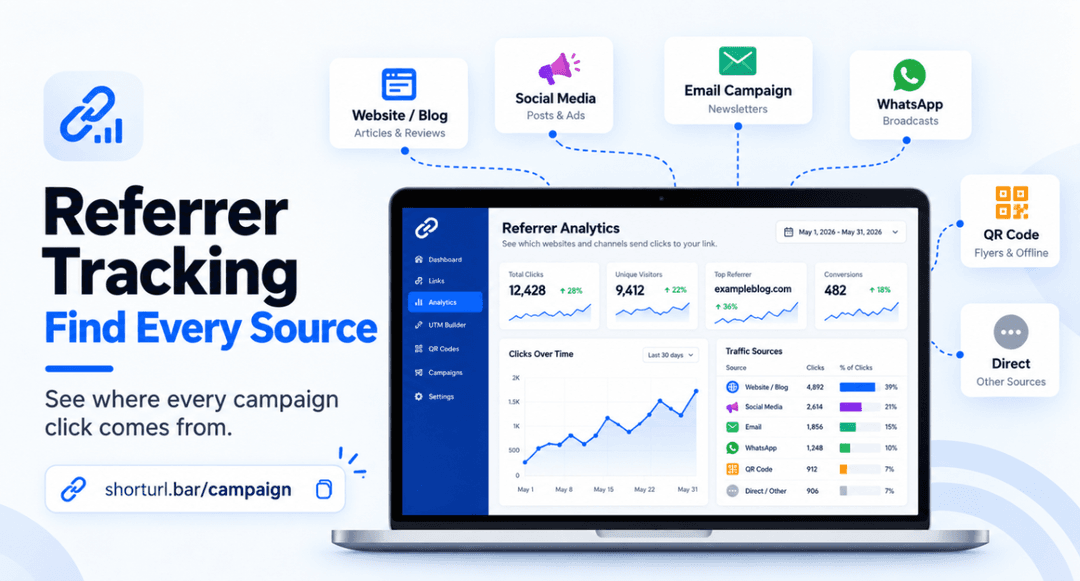
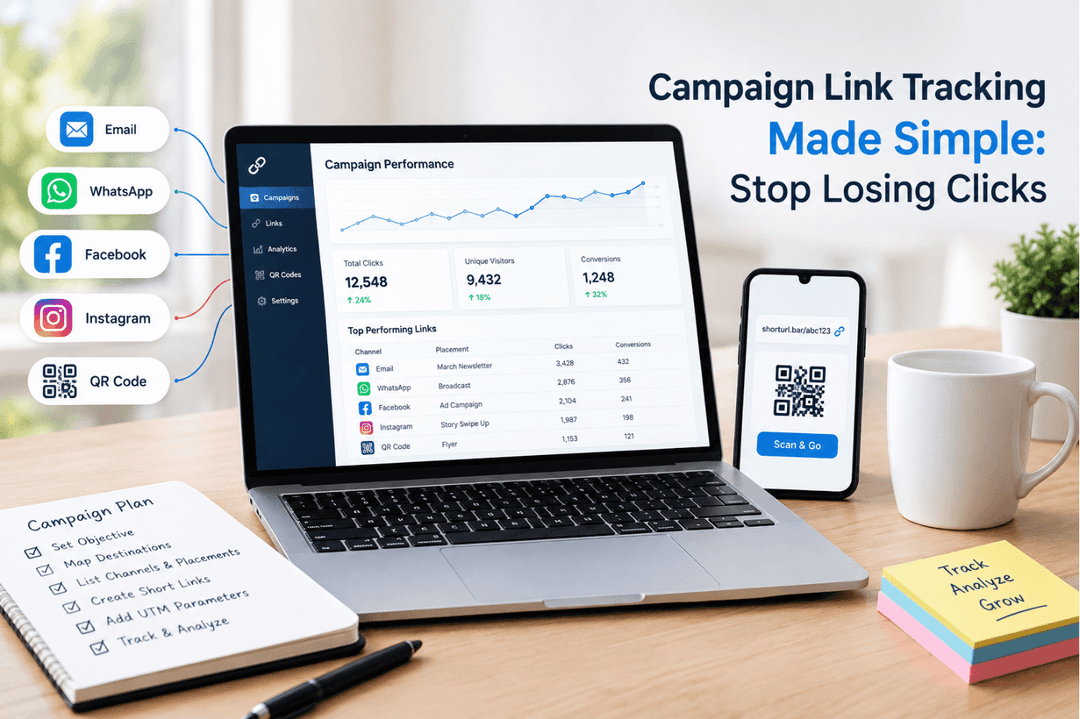
Every link shortened through the extension when you're logged in gets tracked automatically. You can see how many clicks it received, which devices were used, when traffic peaked, and which channels drove the most activity. This is the difference between sending a link and understanding your campaign.
UTM Tracking Integration
If you run campaigns across multiple channels, UTM parameters are your best friend for attribution. ShortURL.bar's UTM shortener lets you attach campaign parameters to your links while keeping the visible URL clean and readable. The extension and dashboard work together so your reporting stays organized.
QR Code Generation
Need a short link for print, a slide deck, or an event? ShortURL.bar can generate a QR code for any short link directly from the dashboard. Useful for taking your digital campaign into physical spaces.
What I Actually Use This For
I started using the ShortURL.bar extension because I was tired of the copy-paste ritual. Every time a new blog post went live, I'd need to shorten the URL for the newsletter, the social post, the WhatsApp broadcast, and the internal update to the team. Four tabs, four manual pastes, four clicks. Not a disaster just friction that added up.
After switching to the extension, that whole process collapsed into about four seconds. Click the icon, copy the link, move on. The time saving sounds trivial until you realise how often link-sharing actually happens in a day.
But the bigger shift was the analytics. Before, I'd send links and genuinely have no idea which channel drove the most clicks. Was it the email? The WhatsApp message? The LinkedIn post? The answer was always a shrug. With trackable short links from ShortURL.bar, I started seeing exactly which channels performed and within a couple of weeks I was making channel decisions based on real data instead of gut feel.
If you're running any kind of campaign even a simple newsletter the combination of a one-click browser extension and built-in analytics is genuinely useful. Not in a "this sounds nice in theory" way. In a "I actually changed how I report on campaigns" way.
Quick Comparison: Extension vs. Web App
The extension is the fastest entry point for day-to-day link shortening. The web app gives you more control over advanced features like UTM builders and QR codes. Most teams use both.
| Feature | Chrome Extension | Web App (shorturl.bar) |
|---|---|---|
| Shorten current page URL | ✅ One click | ✅ Copy-paste required |
| No tab switching needed | ✅ Yes | ❌ New tab needed |
| Branded link customisation | ✅ When logged in | ✅ Full control |
| Click analytics | ✅ When logged in | ✅ Full dashboard |
| UTM parameter builder | ❌ Via dashboard | ✅ Built in |
| QR code generation | ❌ Via dashboard | ✅ Built in |
| Free to use | ✅ Yes | ✅ Yes |
| Link expiry (free, no login) | 5 days | 5 days |
Troubleshooting Common Issues
The extension icon isn't showing in my toolbar.
Click the puzzle piece icon (🧩) in Chrome's top-right corner. Find ShortURL.bar in the dropdown and click the pin icon. It'll appear in your toolbar immediately.
My short link expired.
Free links generated without a ShortURL.bar account expire after 5 days. To keep links active, create a free account and log in before shortening.
The extension isn't generating links on certain pages.
Some internal company pages, localhost environments, or browser-restricted pages (like chrome:// URLs) can't be shortened the extension can't access those URLs. Try it on any public-facing webpage and it'll work fine.
I'm not seeing click data in my dashboard.
You need to be logged in when you shorten the link for it to appear in your analytics dashboard. Links shortened anonymously are not tracked. Log in first, then use the extension.
Frequently Asked Questions
How do I install the ShortURL.bar Chrome Extension?
Go to the Chrome Web Store and search for "ShortURL.bar", then click "Add to Chrome" and confirm the permissions. After installation, click the puzzle-piece icon in your toolbar and pin the ShortURL.bar icon so it stays visible. The whole process takes under two minutes.
Does the ShortURL.bar extension work without creating an account?
Yes. You can shorten URLs immediately after installing the extension, even without logging in. However, anonymous short links expire after 5 days and are not tracked. For permanent, trackable links, a free ShortURL.bar account is required.
Can I shorten any URL on any page using the extension?
You can shorten the URL of any publicly accessible webpage blog posts, product pages, landing pages, YouTube videos, social media posts, and more. The extension doesn't work on browser-native pages like chrome://extensions/ or on local development environments (localhost).
Does the ShortURL.bar extension support branded links and click tracking?
Yes. When you're logged in to your ShortURL.bar account, every link you shorten through the extension is automatically saved to your dashboard with full click tracking, device data, and campaign analytics. Branded link customisation is also available from the dashboard after shortening.
Start shortening links faster
Install the ShortURL.bar Chrome Extension and generate short links from your browser toolbar.
Get ShortURL.bar Extension