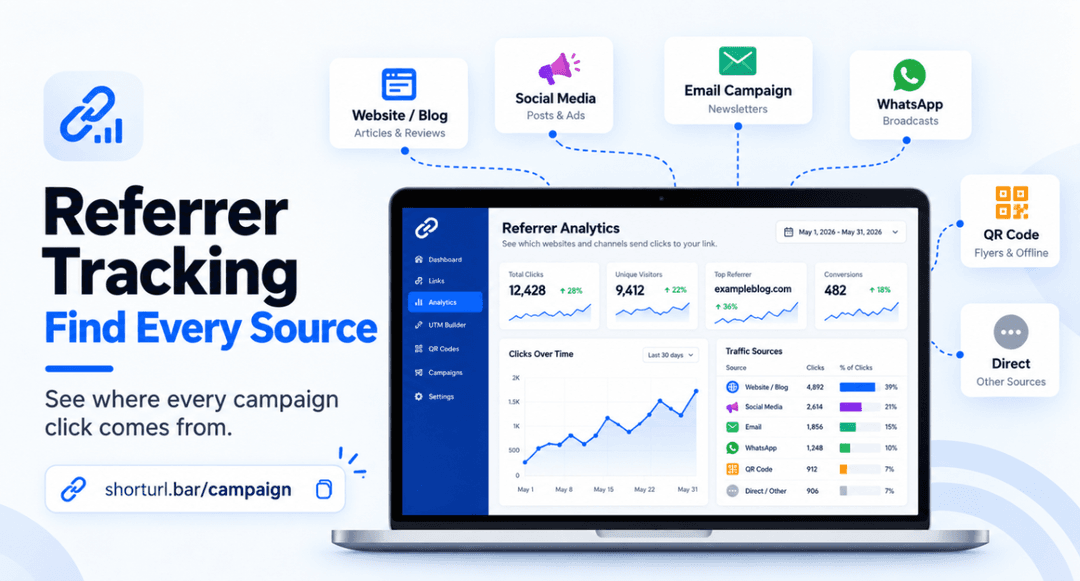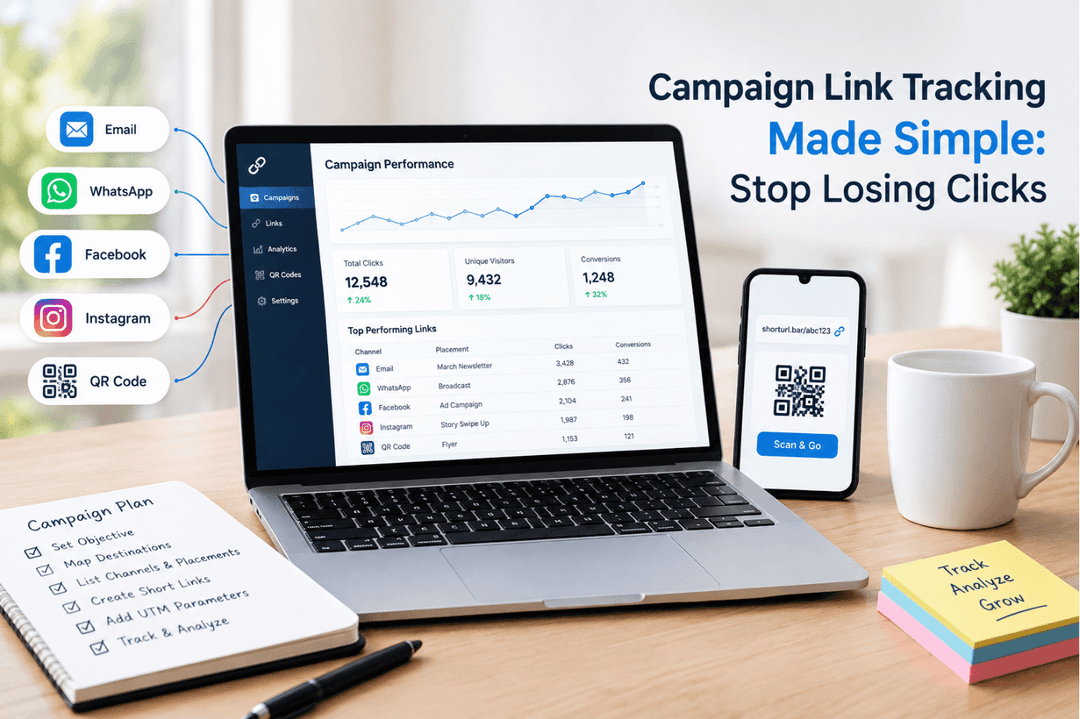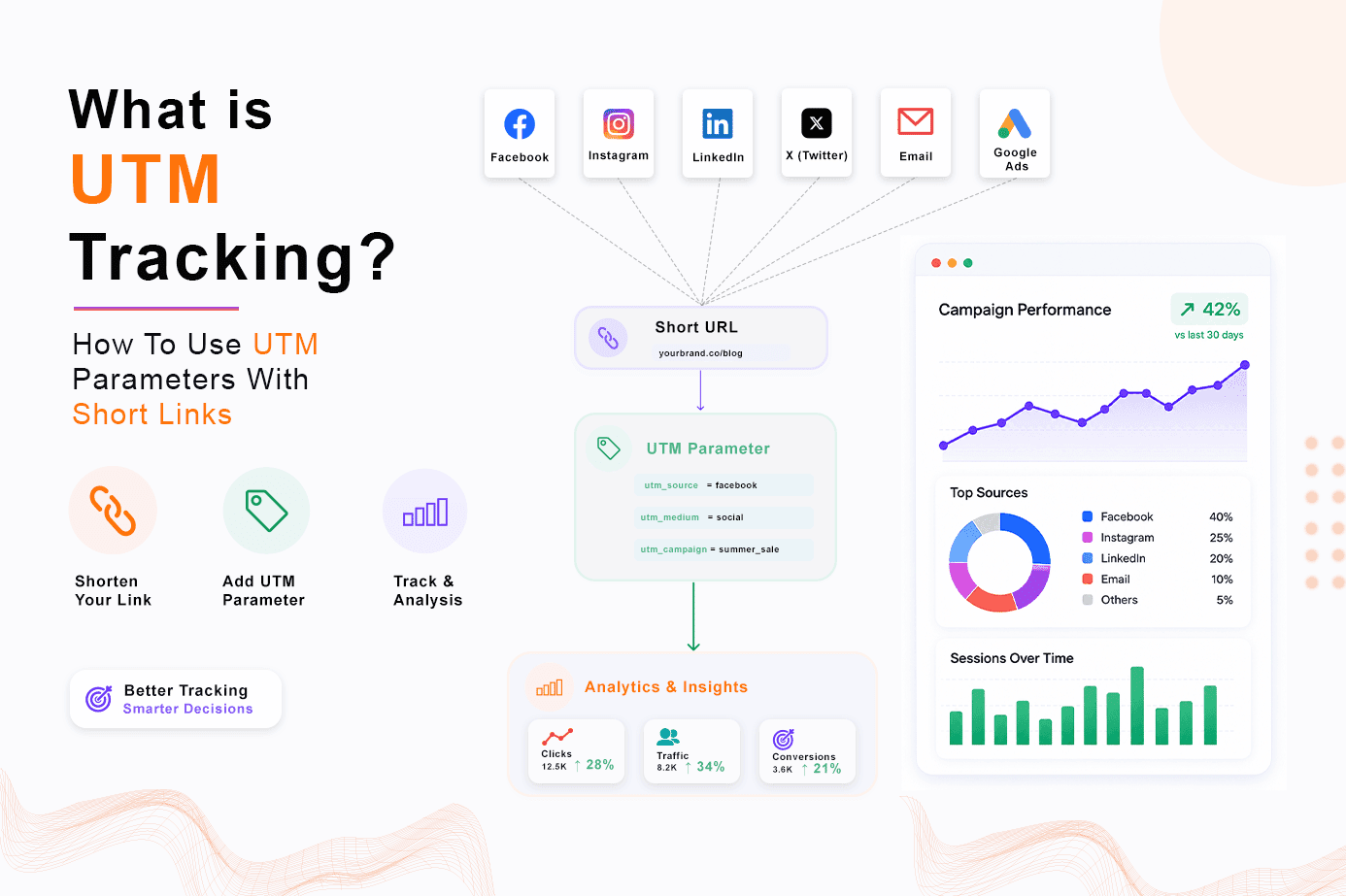
UTM tracking short links fix that problem before it starts. You tag every link with exactly where it came from, and Google Analytics tells you the truth instead of a guess.
The Short Version
UTM tracking means adding small tags, called UTM parameters, to the end of a URL so your analytics tool knows the exact source, medium, and campaign behind a click. Pair that with a short link and you get a clean, shareable URL that still carries the full tracking data through to GA4 behind the scenes. ShortURL.bar's UTM builder does this automatically: you build the tags, shorten the link, and you're done.
Here's the actual problem most teams run into
Someone builds a UTM link by hand, usually in a spreadsheet. It ends up 140 characters long, full of question marks and ampersands. It gets pasted into an email and looks broken next to the rest of the copy. Or it gets pasted into WhatsApp, where the app truncates the preview and half the parameters vanish from view (even though they still technically work).
By the time the campaign goes live, three different people have typed "utm_source" three different ways. One used a dash. One used camelCase. One just skipped the medium entirely because "it's obvious it's email." Three weeks later, the same campaign shows up as four separate rows in GA4, and nobody trusts the report after that.
UTM Parameters Explained: What Each Tag Does
A UTM parameter is a small piece of text tacked onto a URL after a question mark. This is the core mechanic behind UTM tracking: Google Analytics reads these tags and sorts every click into the right bucket, automatically, without you touching a report.
There are five of them, and you'll use two or three on most links:
| Parameter | Example Value | What It Tracks |
|---|---|---|
| utm_source | Where the click came from - the platform or publisher | |
| utm_medium | broadcast | The type of channel - email, social, cpc, referral, and so on |
| utm_campaign | summer-sale | The specific campaign or promotion name |
| utm_term | wireless-headphones | The paid search keyword (mostly legacy, still used by some PPC teams) |
| utm_content | banner-a | Tells apart two similar links or ads inside the same campaign |
Put those together and a real tagged link looks like this:
That's genuinely useful data. It's also a genuinely ugly URL. Which is exactly where a shortener earns its keep.
Why UTM Tracking Gets Messy Without a URL Shortener
Here's the thing nobody tells you upfront: UTM tracking parameters were never designed to be seen by humans. They're metadata for Google Analytics, not copy for your audience.
Paste one of those long tagged links into an email footer, and it wraps across three lines. Drop it into an Instagram bio, and it eats your character limit. Send it in a text message, and half your recipients will assume it's spam because it looks like a string of nonsense.
And here's the part that actually costs money: a lot of marketers, faced with that ugly URL, just delete the tags to make the link look nicer. Which means the click still happens. It just doesn't get counted right. You spent the budget. You lost the attribution. That's the worst version of this problem.
A short link solves it in one move. The link readers see is short and clean. The UTM data riding underneath it stays fully intact and gets passed straight through to the destination page when someone clicks. ShortURL.bar routes the redirect and preserves every parameter, so nothing gets stripped in the process.
How to Build UTM-Tagged Short Links in ShortURL.bar
You don't need to hand-write a single ampersand. Here's the actual process:
- Paste your destination URL into ShortURL.bar.
- Open the UTM builder and fill in source, medium, and campaign (term and content are optional).
- Hit shorten. The result is one clean link that still carries your full campaign tag set to Google Analytics, every time it's clicked.
That's the whole workflow. No spreadsheet, no manual concatenation, no forgetting a question mark. And because the builder fills in the fields for you, you avoid the single most common failure mode: typos in the parameter names themselves.
UTM Source vs. Medium vs. Campaign: A Practical Guide
This trips people up constantly, so let's make it concrete instead of theoretical.
Source answers "where." Not the type of channel, the actual platform: google, facebook, newsletter, whatsapp.
Medium answers "what kind." This is the category the source belongs to: cpc, email, social, referral, organic.
Campaign answers "why." It's the specific push this link belongs to: summer-sale, product-launch, webinar-oct26.
A quick real-world example: utm_source=whatsapp&utm_medium=broadcast&utm_campaign=summer-sale tells you the click came from WhatsApp, through a broadcast list, as part of your summer sale push. Three questions, three answers, no ambiguity in the report.
Mix these up (say, putting the campaign name in the source field) and GA4 will still record it. It just won't mean anything useful when you go looking for it in six months.
Common UTM Tracking Mistakes (And How to Fix Them)
Most of these aren't complicated. They're just easy to overlook when a campaign is going out the door in twenty minutes.
- Inconsistent capitalization: Email and email show up as two different sources in GA4. Lowercase everything, always.
- Spaces instead of hyphens: A space in a UTM value gets encoded as %20, which is unreadable in reports. Use product-launch, not product launch.
- Skipping the medium: "It's obviously email" isn't a medium GA4 recognizes. Fill in all three core fields, every time.
- Reusing a campaign name across quarters: If Q1 and Q3 both use sale, your year-over-year comparison is just gone. Add the timeframe: summer-sale-2026.
- Not testing the link before sending: Click it yourself first. If the destination page loads and the URL bar still shows your parameters, you're good.
Honestly, the naming convention issue is the one that causes the most long-term damage. Get that wrong for a year and you'll be untangling messy reports for a while after.
How to Read UTM Data in Google Analytics 4
Once your UTM tracking links are live and clicks start coming in, GA4 surfaces the data under Reports > Acquisition > Traffic acquisition. Switch the primary dimension to "Session source / medium" and you'll see exactly which source-medium pairs are driving sessions, ranked by volume.
Want to isolate one specific push? The "Session campaign" dimension filters everything down to just that campaign name, across every source that fed into it. According to Google's own documentation on custom campaign tracking, UTM parameters are the standard method Google Analytics uses to attribute traffic that wouldn't otherwise be identifiable, meaning direct visits and generic referral traffic get correctly reassigned to the actual campaign that drove them.
One thing worth knowing: GA4 can take a few hours to fully process new source/medium combinations the first time they appear. Don't panic if a brand-new campaign tag shows zero sessions in the first hour. Check back later in the day before assuming something's broken.
UTM Short Links for Email, WhatsApp, and Paid Ads
Each channel has its own quirks worth planning around.
Email: Use utm_medium=email=email consistently, and vary utm_campaign per send so you can compare a Tuesday newsletter against a Friday promo without digging through raw click logs.
WhatsApp: Broadcast lists and individual chats behave differently in terms of link previews, so utm_medium=broadcast=broadcast versus utm_medium=chat=chat is worth splitting out if you're running both. A short link here matters more than almost anywhere else, since long tagged URLs get chopped in WhatsApp's preview card.
Paid ads (Google Ads, Meta Ads)
Paid ads (Google Ads, Meta Ads): Google Ads has its own auto-tagging via gclid, which can conflict with manual UTM tags if you're not careful. For Meta and other paid platforms without native tagging, manual UTM parameters are still the most reliable way to separate ad spend performance from organic social. If you want to sanity-check a tagged URL before it goes live, Google's Campaign URL Builder tool is a quick way to confirm the parameter structure is valid before it ever reaches ShortURL.bar.
Template: A Standard UTM Naming Convention for Marketing Teams
Most of the messy UTM tracking we've seen traces back to one thing: no shared naming rule across the team. Here's the convention we use and recommend.
| Rule | Example |
|---|---|
| Always lowercase | email, not Email |
| Hyphens, never spaces | product-launch, not product launch |
| Consistent source names | Always facebook, never fb one week and facebook the next |
| Date or year in evergreen campaigns | webinar-oct26, not just webinar |
| One shared spreadsheet or builder | Everyone pulls from the same source list, no exceptions |
If you want a starting point instead of building this from scratch, a downloadable UTM naming template (a simple spreadsheet with source, medium, campaign columns pre-filled with your team's standard values) is worth setting up once and reusing for every campaign after.
What Actually Happened When We Cleaned Up Our Own UTM Mess
A while back, our own campaign reporting was genuinely a disaster, which is a little embarrassing for a link tool company to admit. We were tagging affiliate links, email sends, and social posts with three different naming habits, depending on who set up the link that week.
The GA4 channel report showed six different source/medium combinations for what was, in reality, the same email newsletter. Email, email, e-mail, and a couple of typos were all sitting there as separate rows. Nobody could tell at a glance whether the newsletter was actually working.
So what changed? We picked one lowercase, hyphenated naming convention, wrote it down in a shared doc, and routed every single campaign link through a UTM builder before shortening it, instead of letting anyone hand-type the tags. Within one reporting cycle, those six rows collapsed into one. The attribution didn't magically get better. It just became readable, and for most teams, that's the same thing as better.
That's the part people underestimate about UTM tracking short links: the value isn't the tagging itself. It's the discipline the tagging forces on you.
FAQ
What are UTM parameters?
UTM parameters are small tags added to the end of a URL that tell analytics platforms like Google Analytics the source, medium, and campaign name behind a click. They're what turns a vague "referral traffic" spike into a specific, attributable channel.
Do short links break UTM tracking?
Not if the shortener is built to handle it. ShortURL.bar passes UTM parameters straight through the redirect to the destination URL, so full campaign attribution stays intact even though the link itself looks clean.
What is the best UTM naming convention?
Lowercase, hyphens instead of spaces, and consistent terms across the whole team - for example, source=email, medium=newsletter, campaign=product-launch. The specific words matter less than everyone using the same ones.
Can I add UTM parameters inside ShortURL.bar?
Yes. ShortURL.bar's UTM builder lets you attach tracking parameters to any destination link before shortening it, so your campaign URLs stay clean without losing any tracking data.
How much does UTM tracking cost?
Nothing, technically. UTM parameters are free; Google Analytics reads them at no charge. The only cost, if you can call it that, is the time it takes to set up a consistent naming convention across your team.
What's the difference between UTM source and UTM medium?
Source is the specific platform a click came from, like google or newsletter. Medium is the broader category that source belongs to, like cpc or email. Source answers "where," medium answers "what kind."
Why isn't my UTM data showing up in Google Analytics?
Usually one of three things: the parameter names are misspelled, the link got shortened by a tool that strips query strings, or it's simply too early, since GA4 can take a few hours to fully process a brand-new source/medium combination.
Can I use UTM parameters for WhatsApp and email campaigns?
Yes, and honestly they matter more there than almost anywhere else. Long tagged URLs get cut off in WhatsApp previews and look messy in email copy, so pairing UTM tags with a short link is close to essential for both channels.